
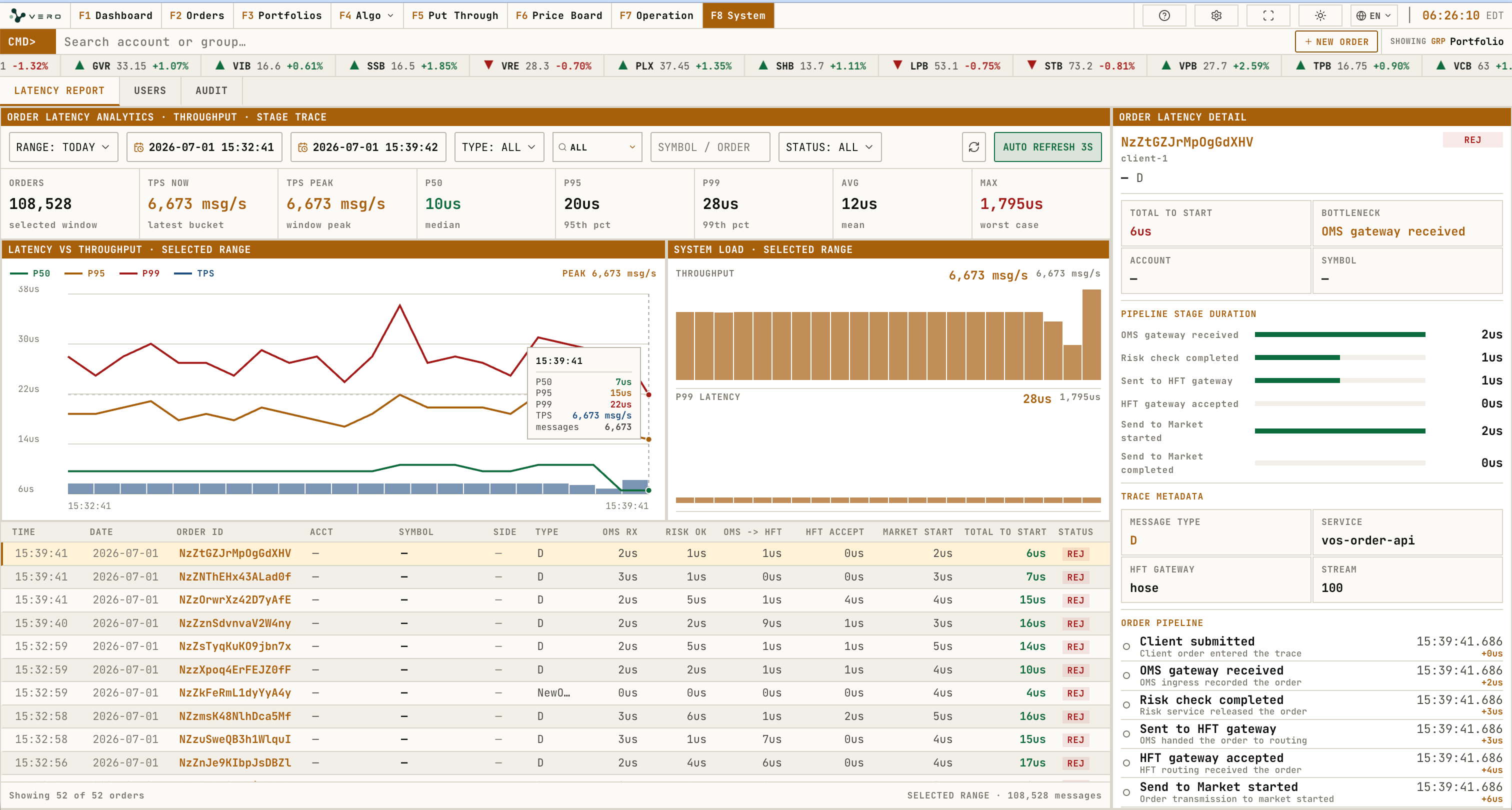
Workspace overview
Users
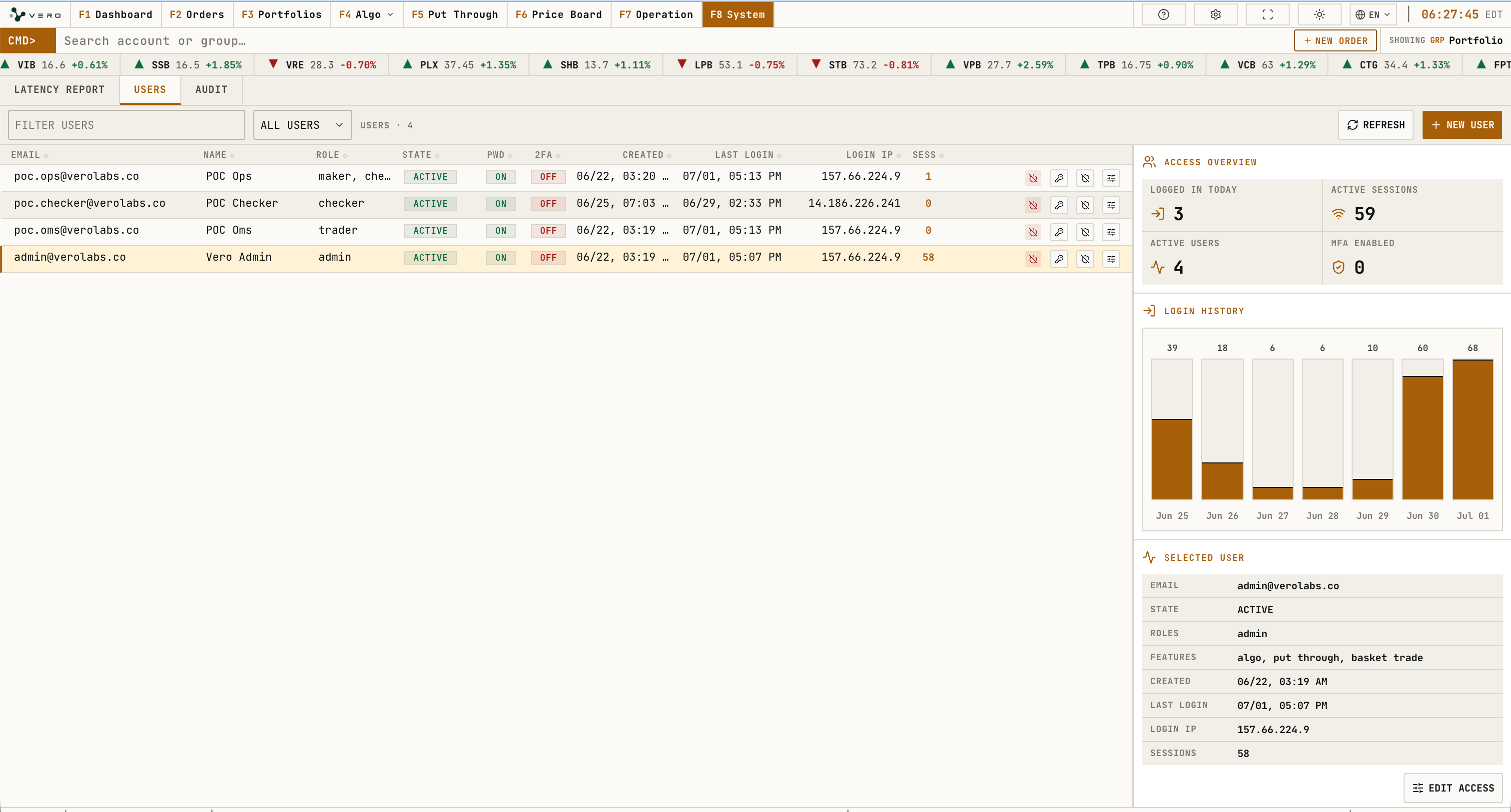
Users displays user filters, user table, access overview, login history, and selected user panel. A data unavailable message appears when user information cannot be loaded.
The Users workspace includes a text filter, user-state selector, refresh action, and NEW USER action. Selecting a table row updates the selected-user panel with identity, state, roles, allowed features, creation time, last login, login IP, and active session count.
Each user row exposes action buttons for state change, password reset, 2FA reset, and access editing. The state button opens an activate/deactivate confirmation dialog. The password button opens a reset-password dialog that requires an 8-character minimum password. The 2FA button opens a confirmation before removing the current second-factor setup.
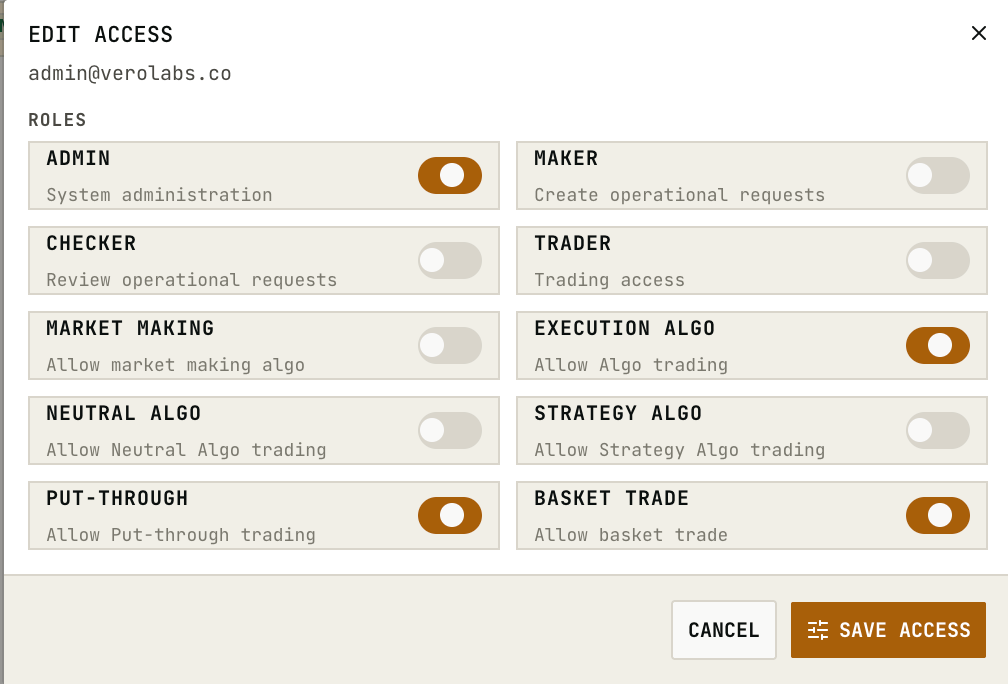
Edit Access Dialog
Edit access can be opened from the row action button or from the selected-user panel. Role and feature switches update local dialog state first; SAVE ACCESS submits the selected roles and allowed features.
Create User Dialog
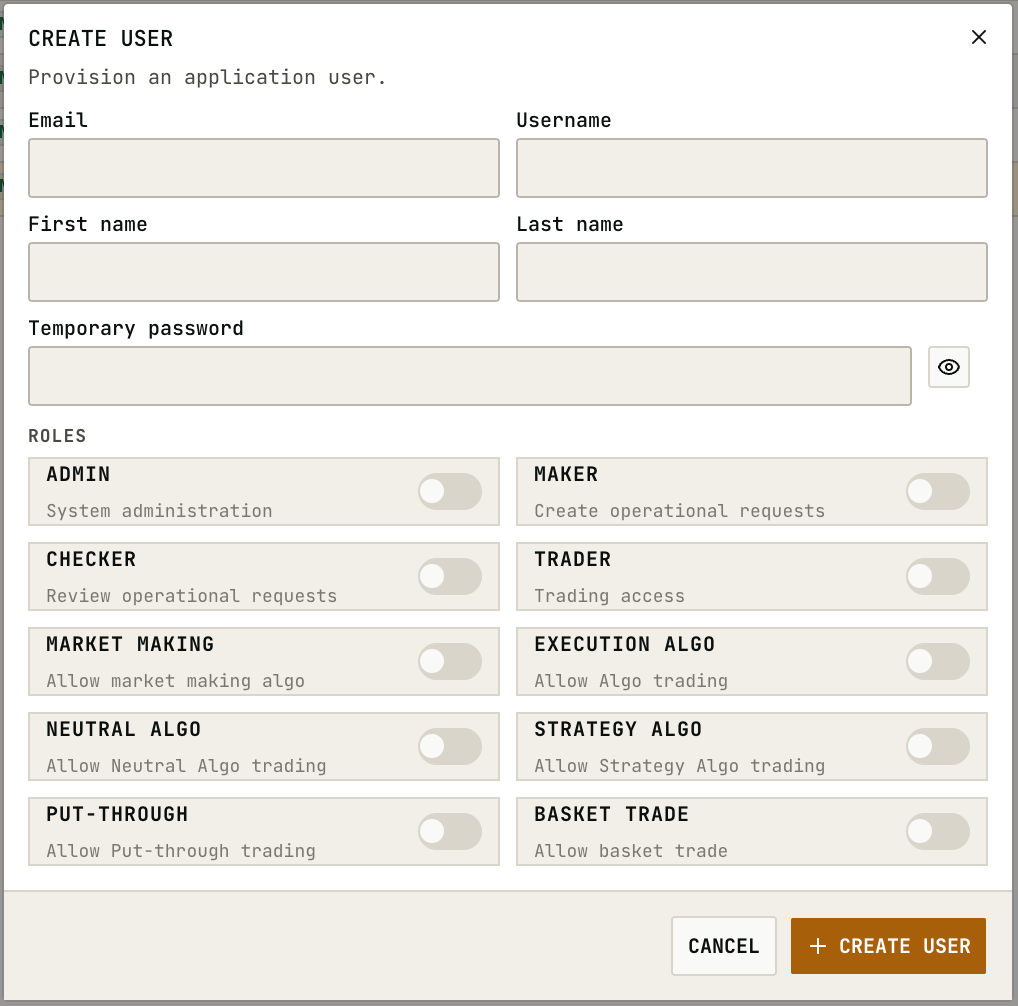
NEW USER opens the create-user dialog. The form collects email, optional username, first name, last name, temporary password, role switches, and feature switches. The password visibility button only changes field display state. CREATE USER requires email plus a temporary password of at least 8 characters.
Audit
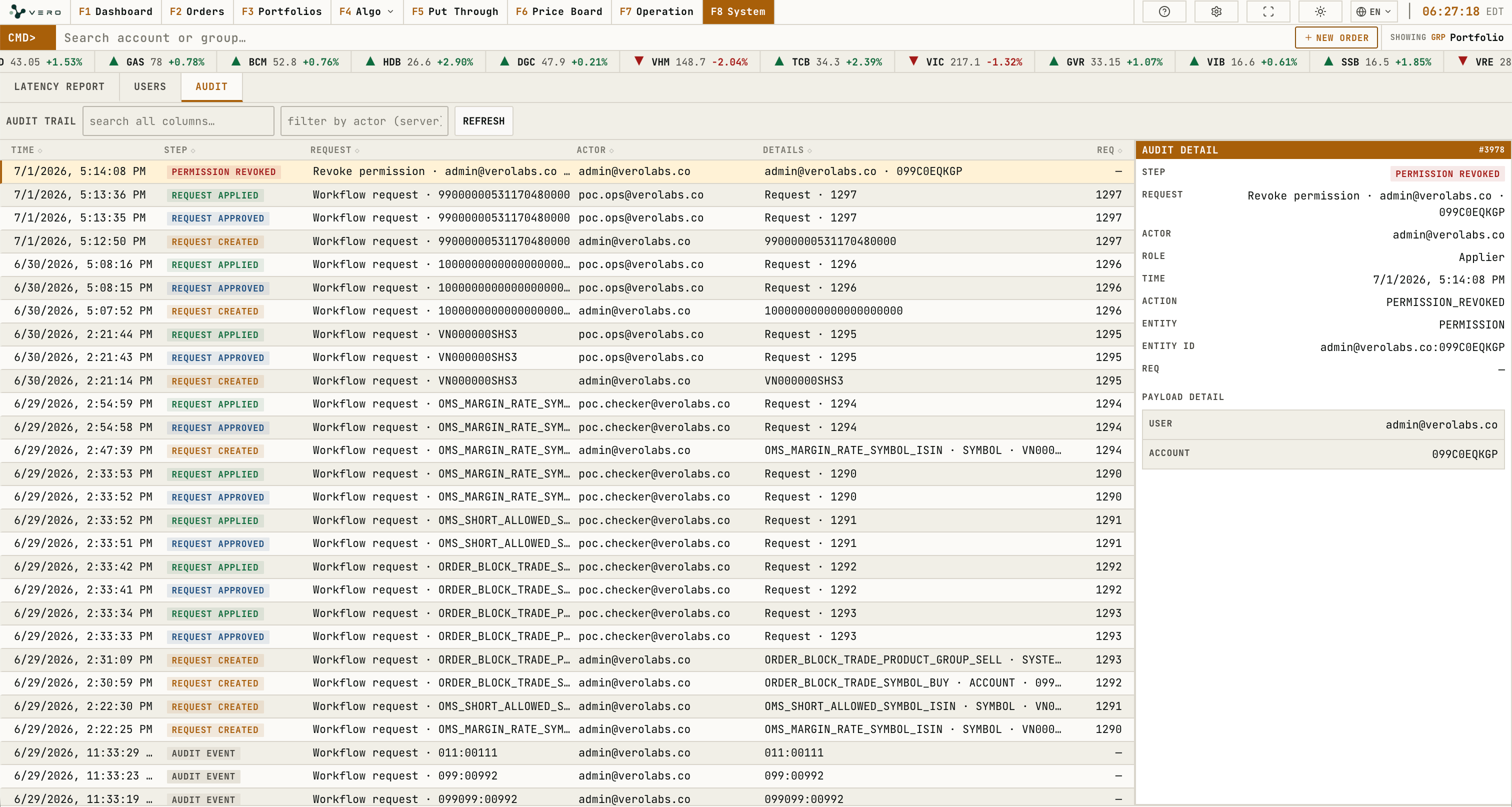
Audit displays activity history, filter/search controls, refresh, and the selected record detail panel.
The detail panel displays the step, request title, actor, role, action, affected object, request id, changed values, and related activity when available.