

Workspace overview
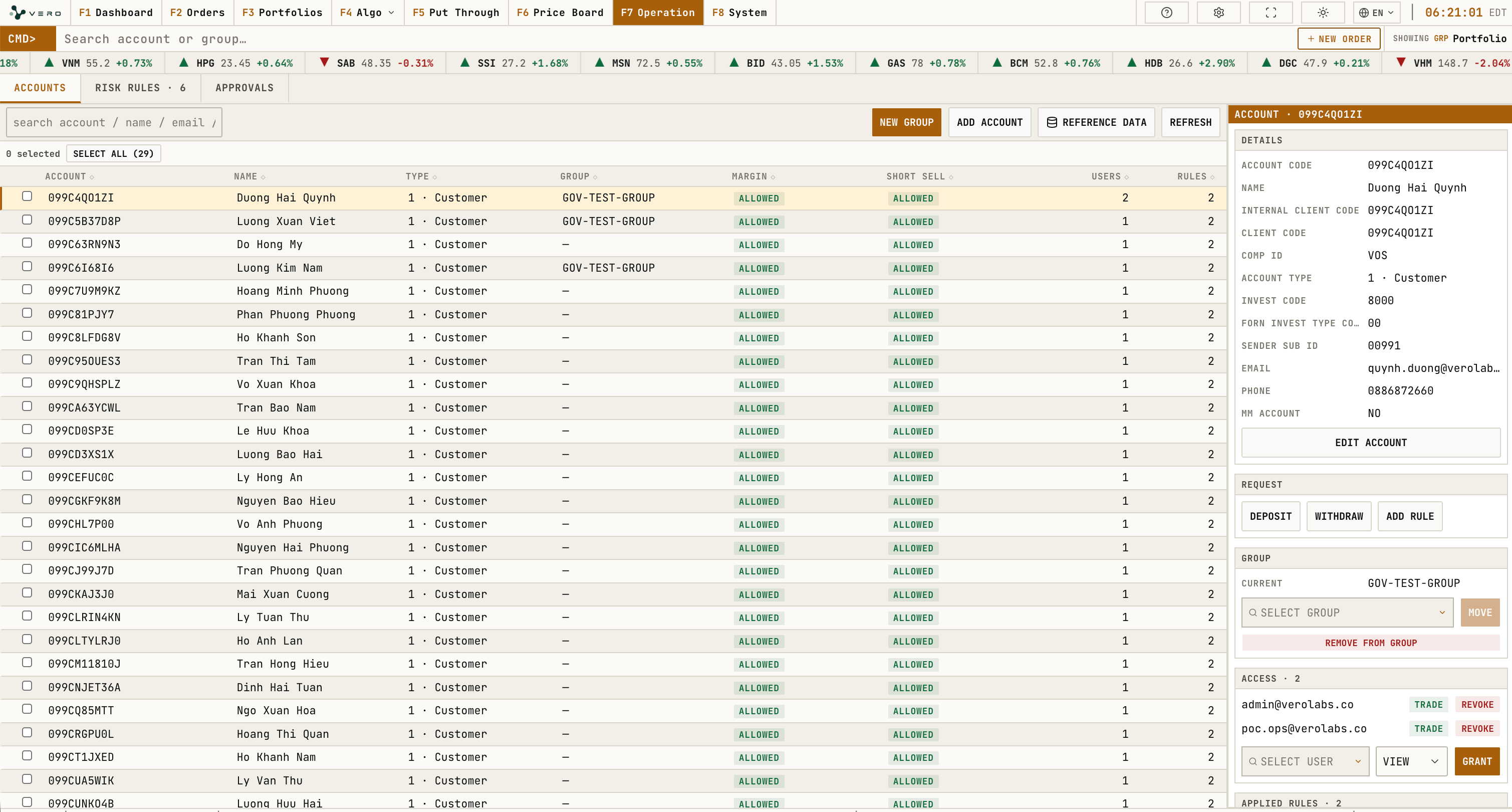
Account Table
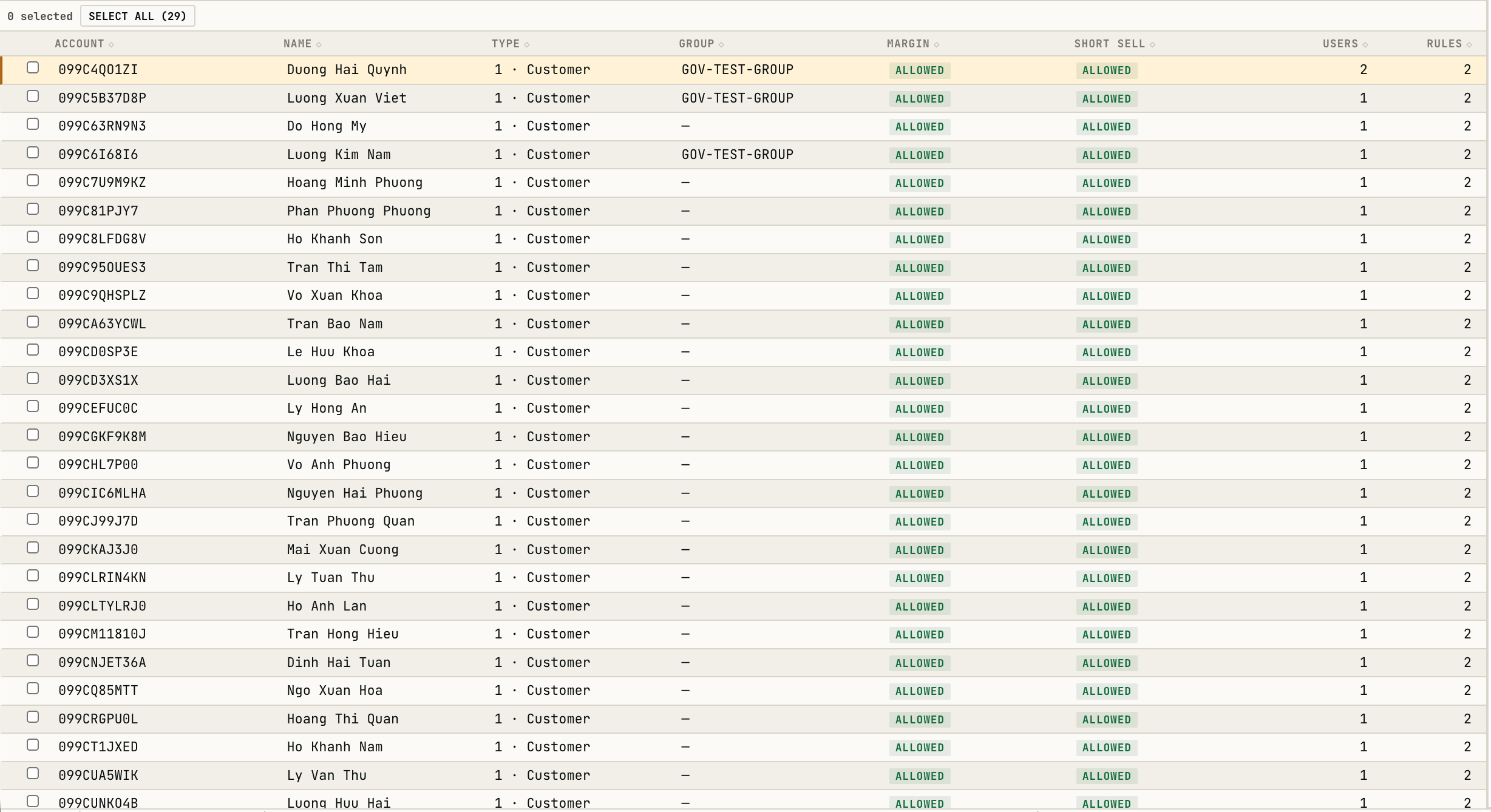
The account table displays account id, name, type, group, margin, short sell, users, and rules.Account rows can be sorted by account, name, type, group, margin, short-sell rule state, user count, and rule count. Row checkboxes enable bulk
ASSIGN USER and ADD TO GROUP; each bulk action runs one governed operation per selected account and reports progress.Account Detail
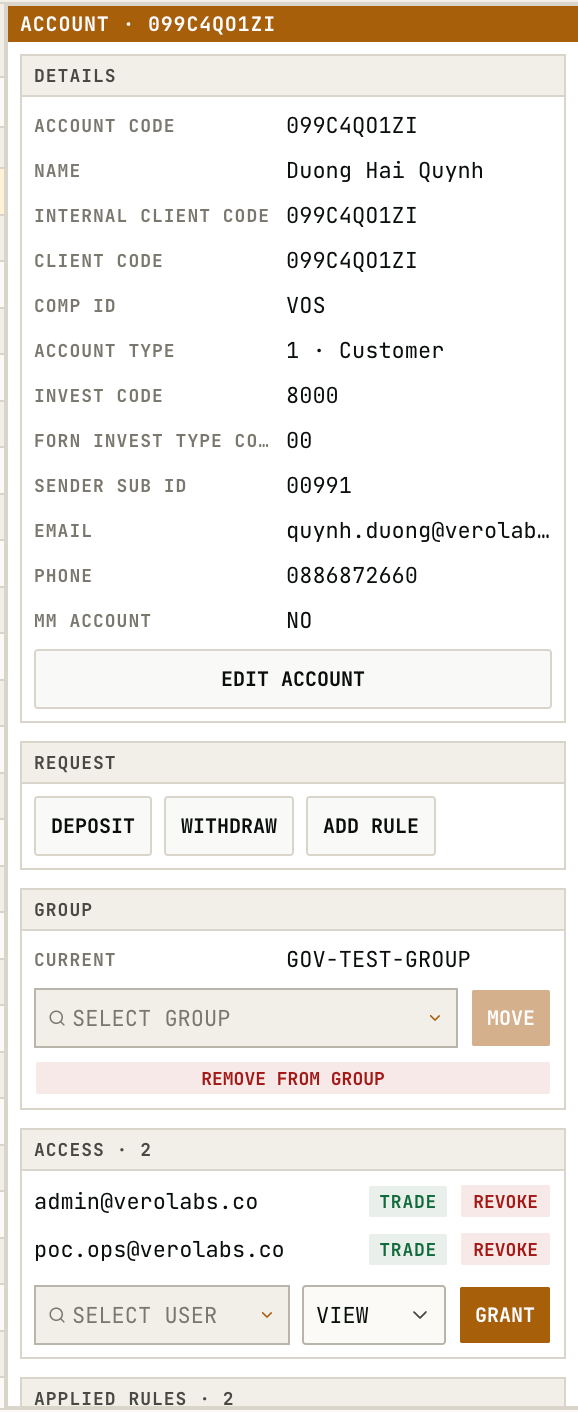
The right-side account panel displays and manages the selected account.
Reference Data groups account and counterparty values by user-facing function. Users with manage permission can add values, confirm deletion, refresh the list, and close the dialog.
Risk Rules
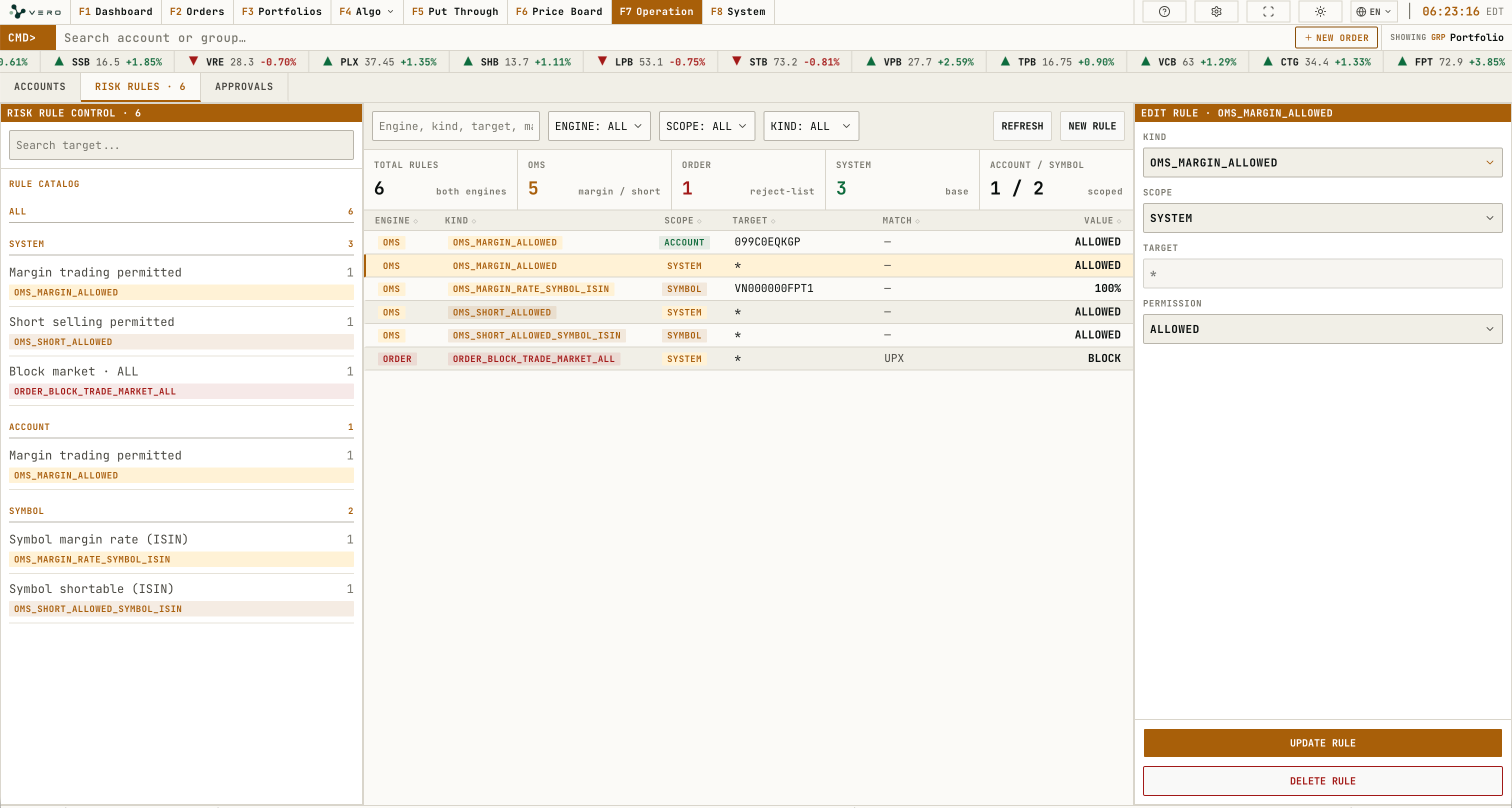
Risk Rules contains the rule catalog, filters by engine/scope/kind, rules list, and rule detail panel.
Approvals
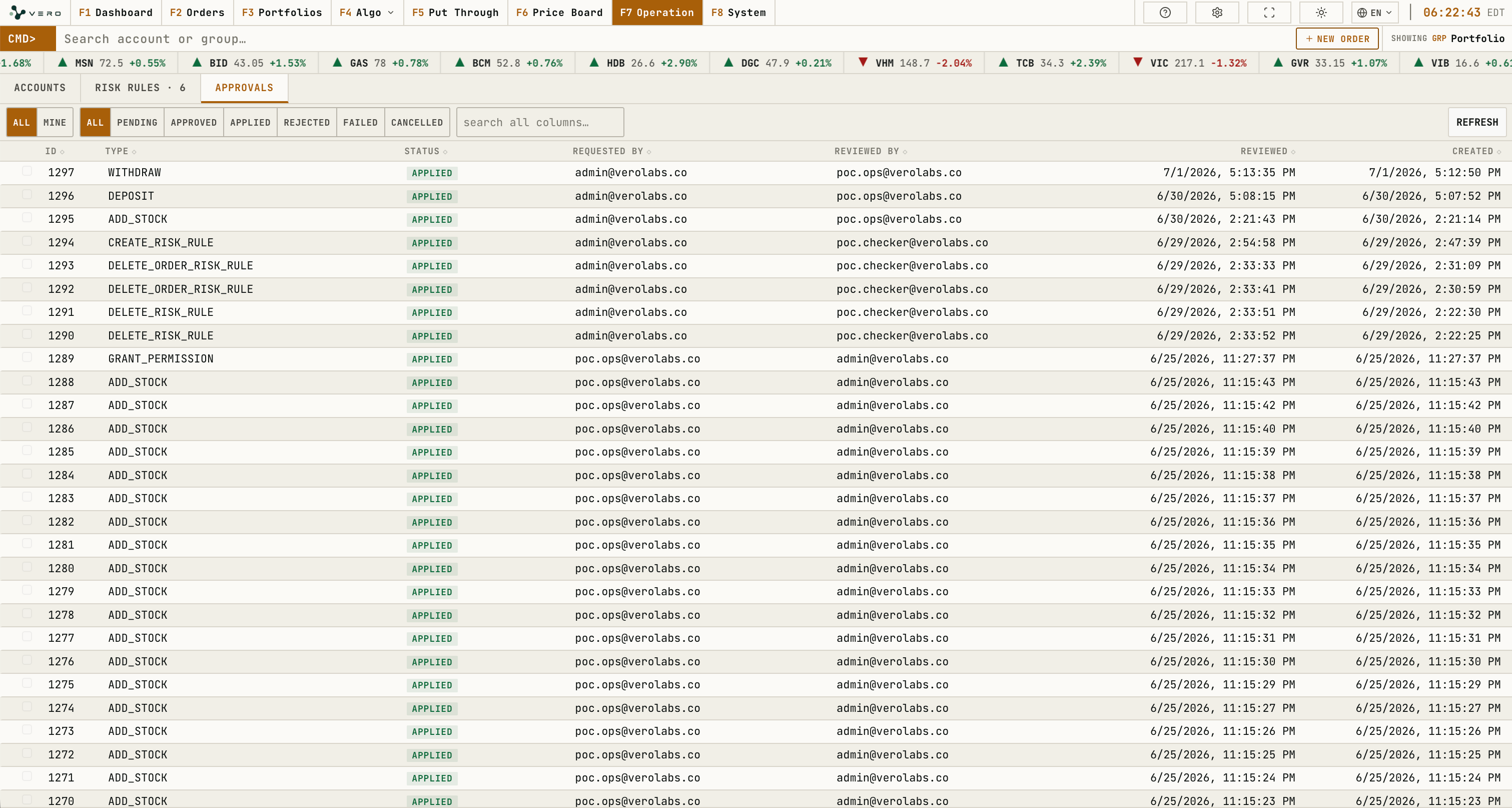
Approvals contains review queues, request state, and the selected approval detail panel.