

Workspace overview
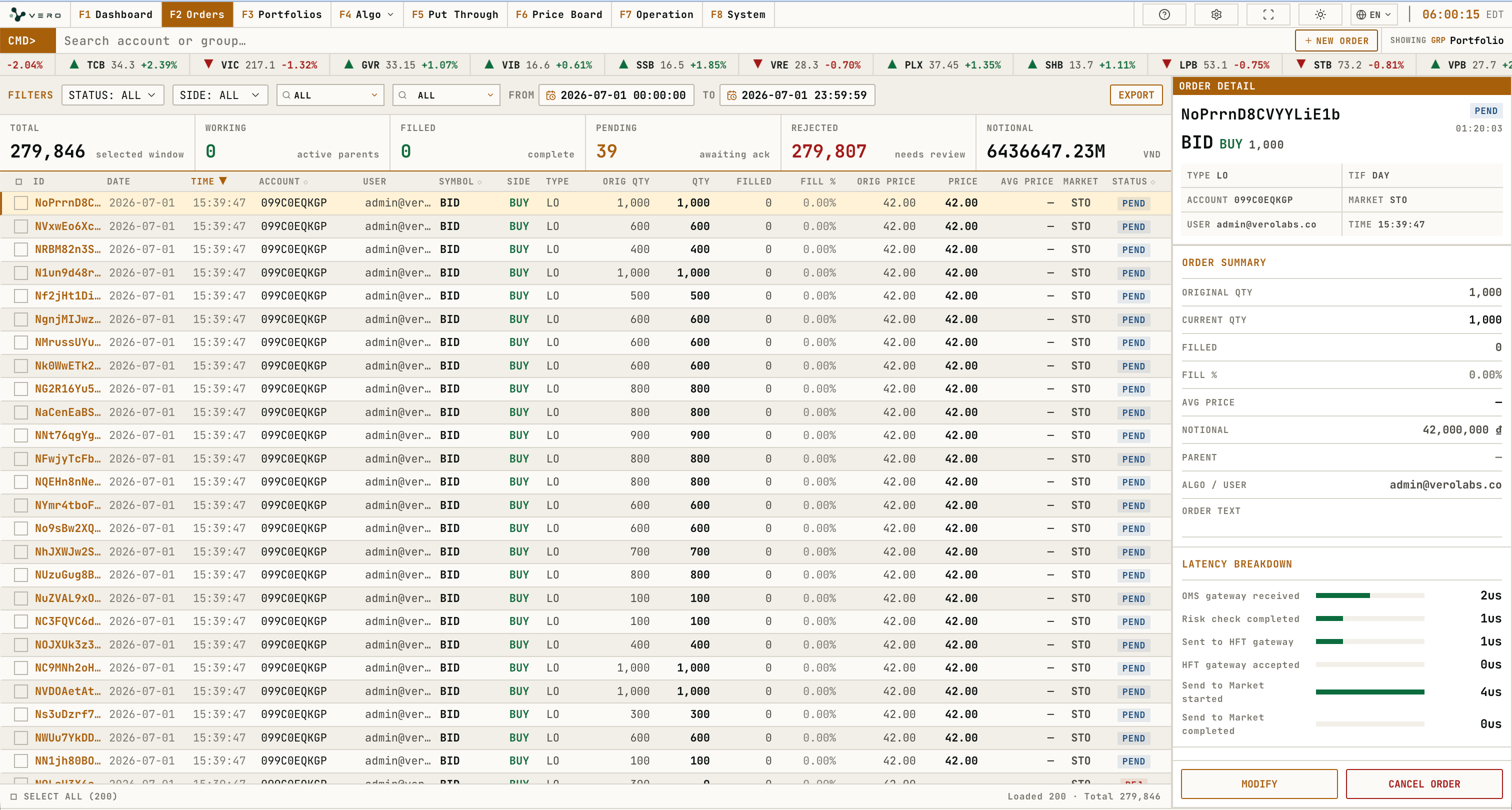
Order Blotter
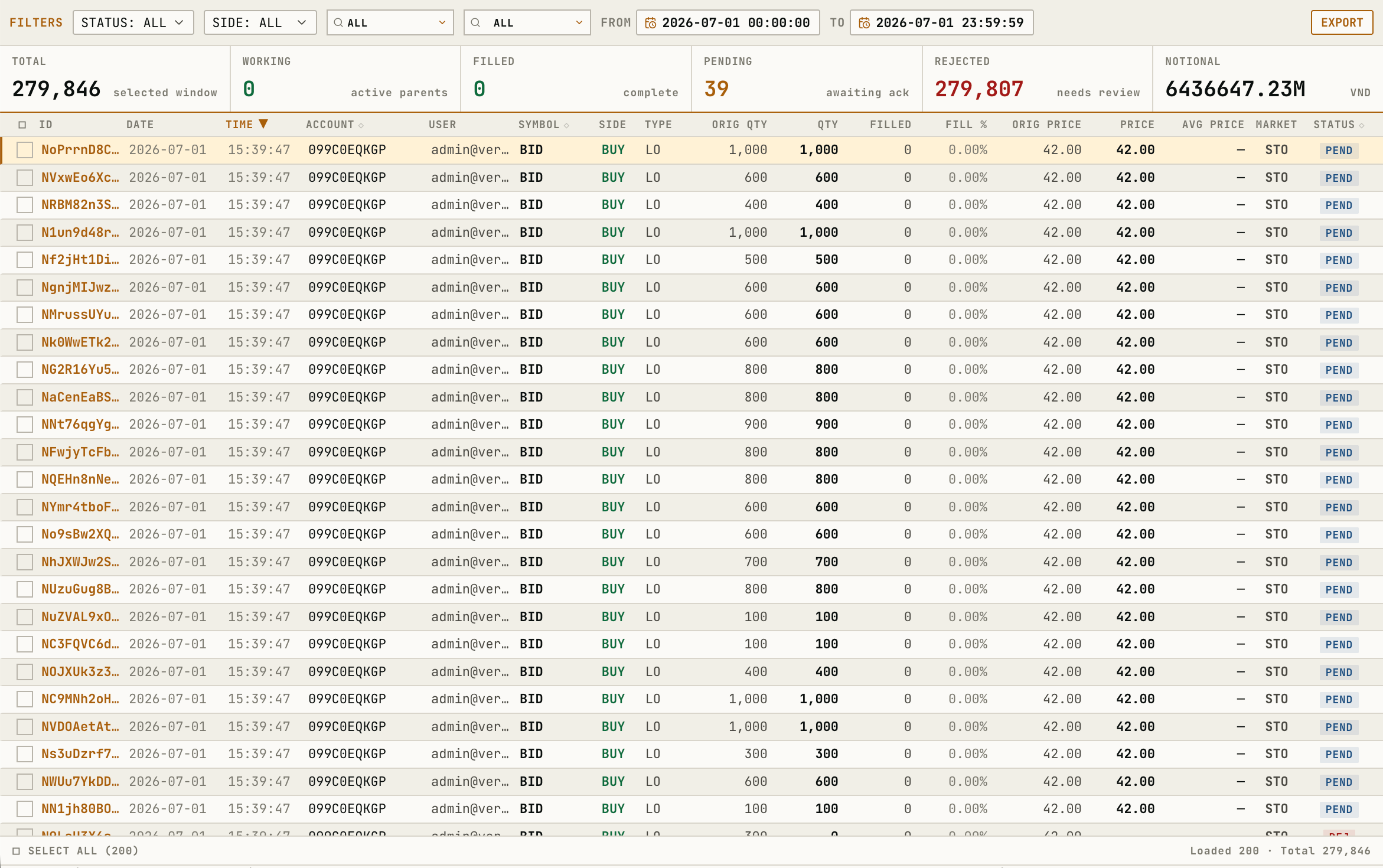
When rows are selected, the bulk action bar shows selected count, cancellable count, and estimated notional.
MODIFY ORDER is enabled only for a single cancellable order. CANCEL ALL opens a bulk cancel confirmation for remaining working quantity.
Order Detail
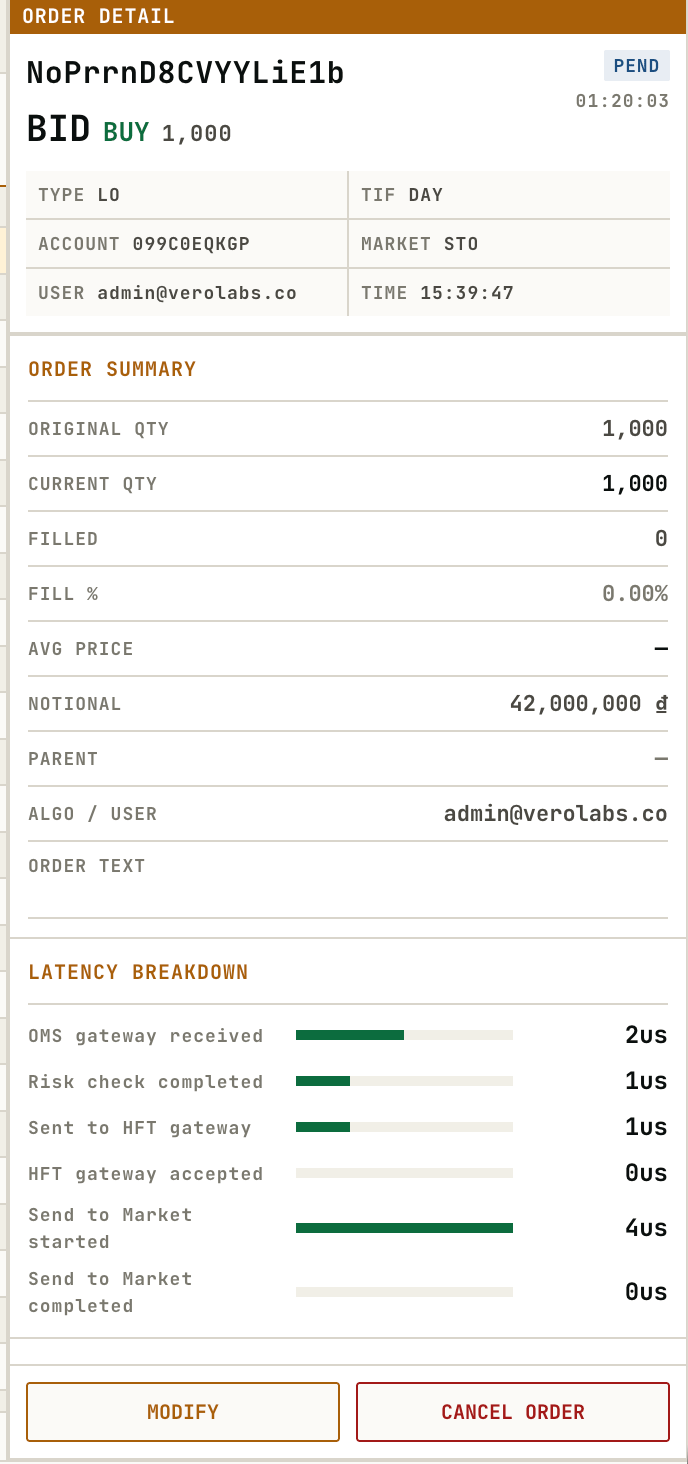
The right-side detail panel displays order summary, latency breakdown, child fills, and actions for the selected order.
Modify and cancel actions are disabled when the selected order is not in an actionable working, pending, or armed state.