

Workspace overview
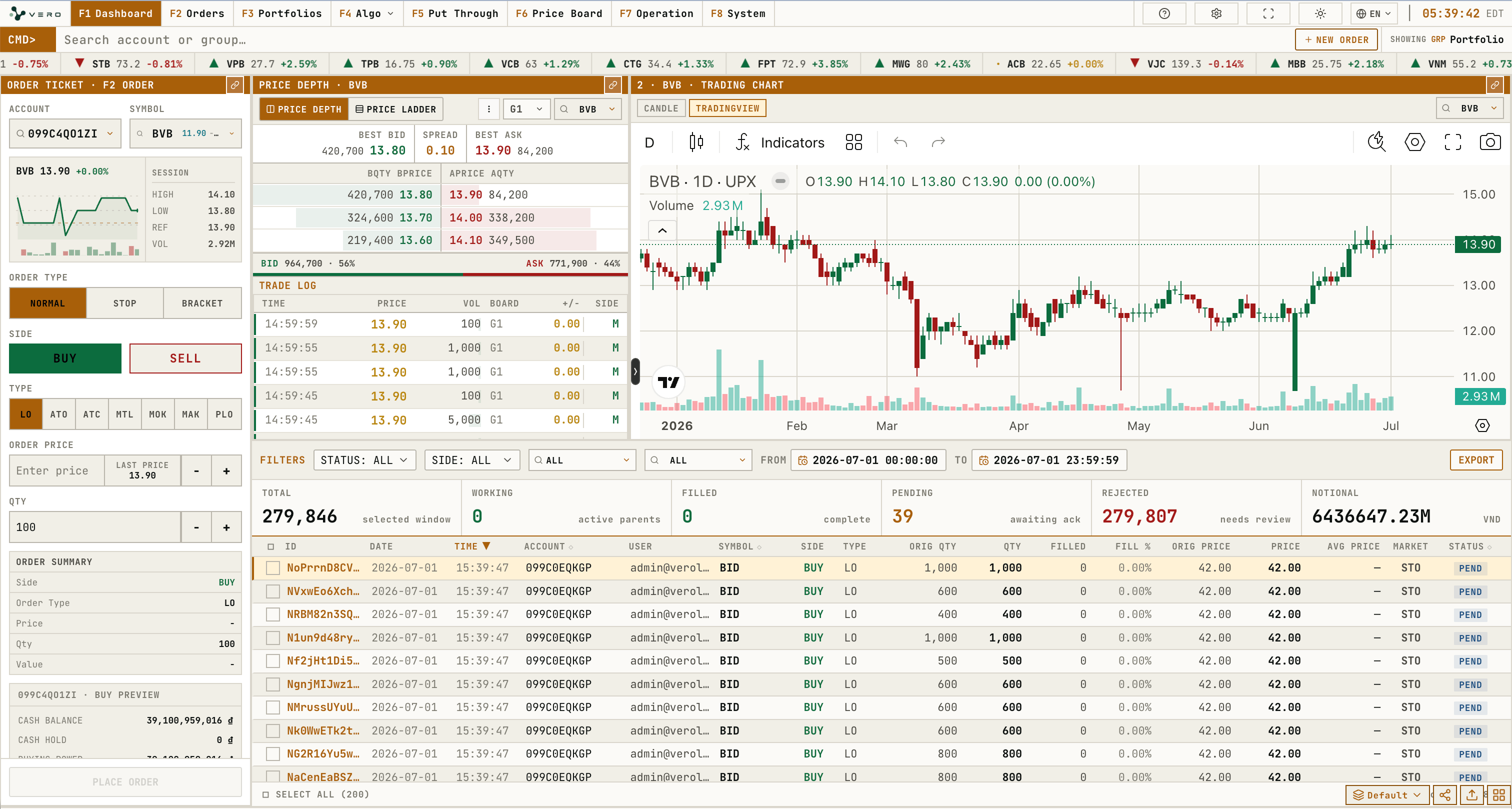
Layout controls

Order Ticket
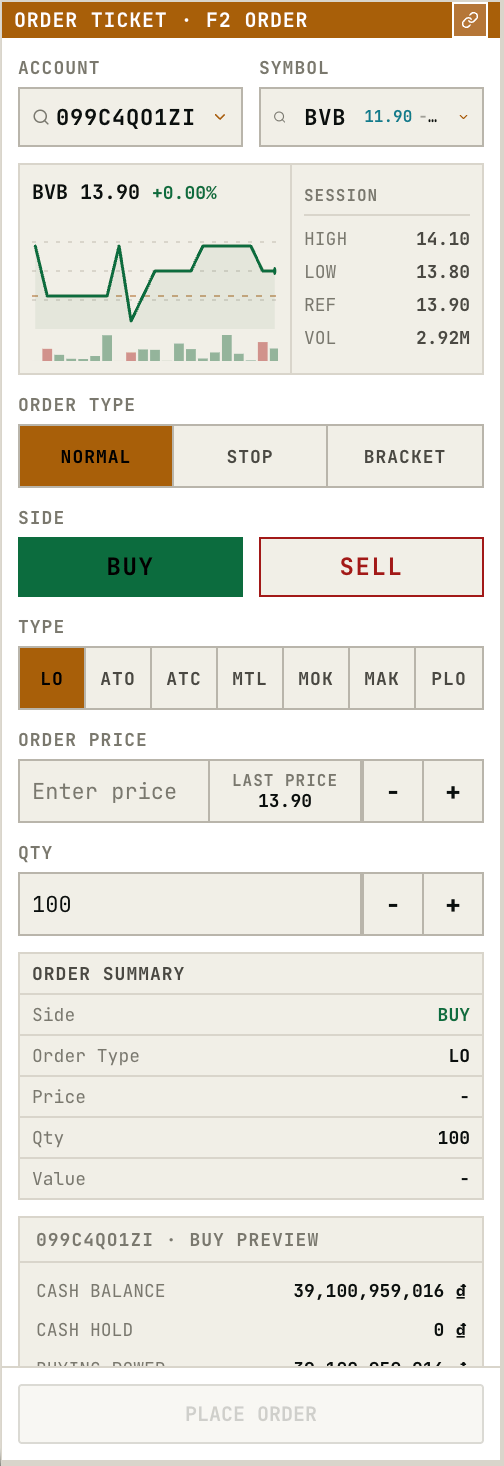
The ticket contains account, symbol, order type, side, price, quantity, order summary, and buying power preview fields.
Price Depth
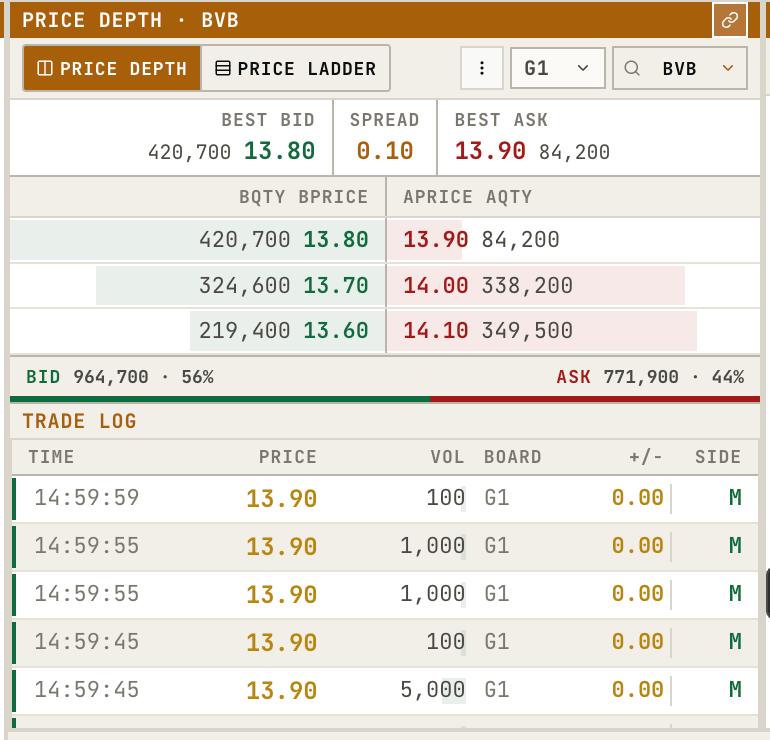
Price Depth displays best bid/ask, spread, bid/ask levels, and trade log for the selected symbol.The header includes a link toggle for syncing the widget symbol, a symbol selector, and an options menu. The options menu controls whether the trade log is visible.
Trading Chart
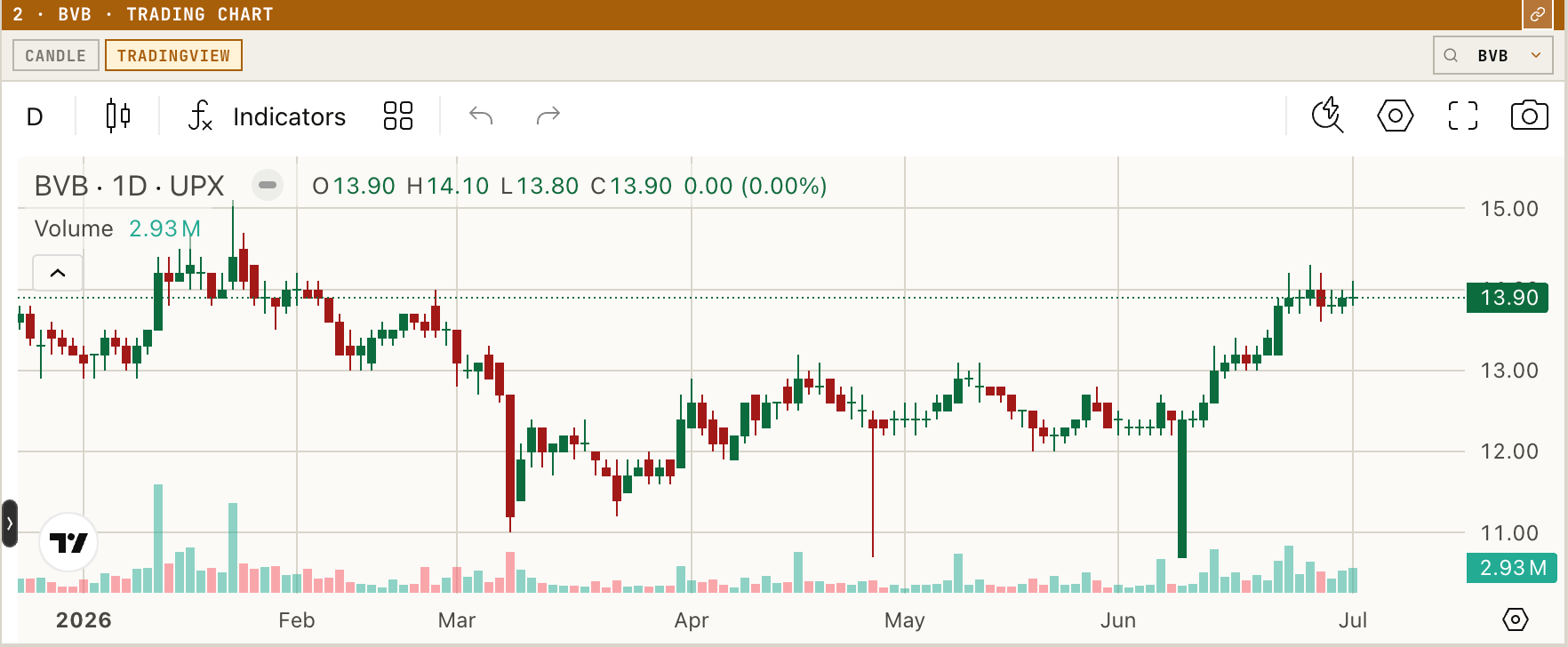
The chart component displays candles, timeframe controls, price region, and volume for the selected symbol.Changing the symbol resets the chart context. Timeframe controls change the candle interval, and the load-more control extends the visible history when available.
Order Blotter
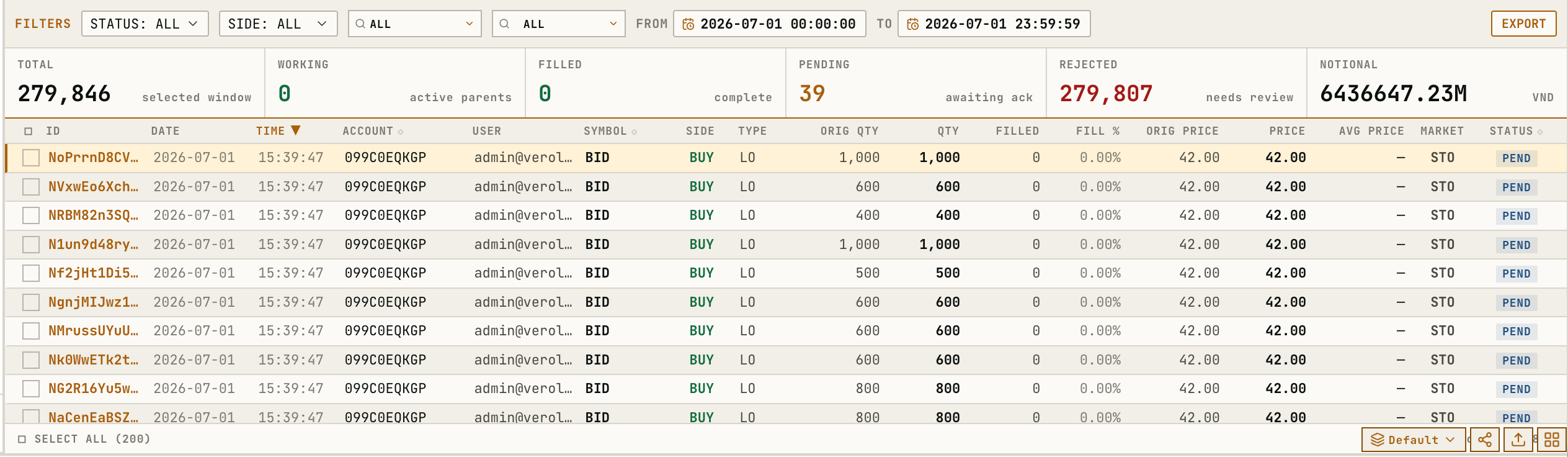
The Dashboard blotter filters by status, side, account, and date/time, then displays live order states.Rows can be selected for inspection. Sortable headers reorder the visible set, and the same blotter action model is documented in Orders.