
Tổng quan workspace
Users
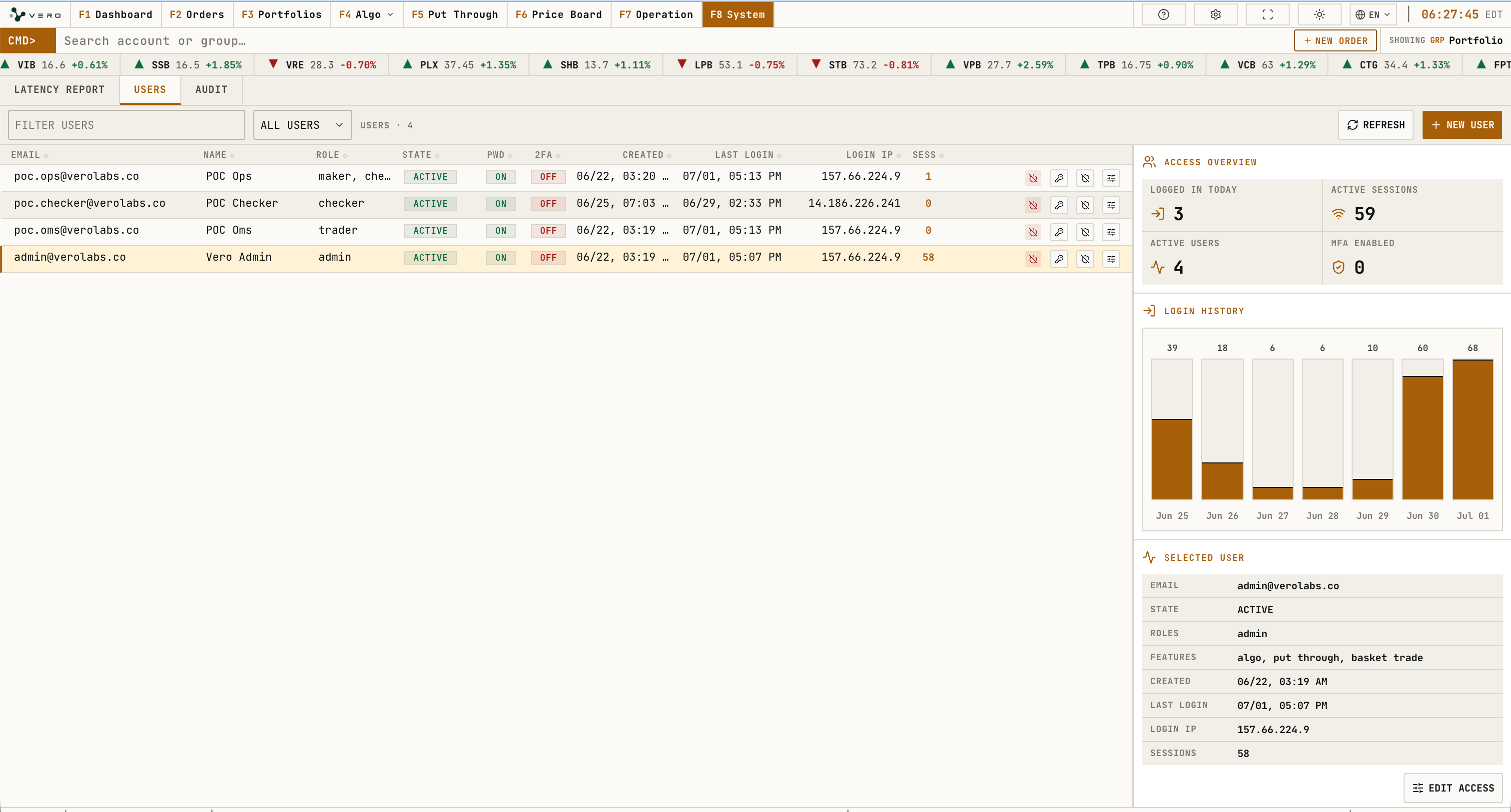
Users hiển thị bộ lọc user, bảng user, access overview, login history và selected user panel. Thông báo data unavailable xuất hiện khi không load được user information.
Users workspace gồm text filter, bộ lọc trạng thái user, thao tác refresh và NEW USER. Khi chọn một dòng trong bảng, panel selected-user cập nhật identity, state, roles, allowed features, thời điểm tạo, last login, login IP và số active session.
Mỗi dòng user có các action button để đổi state, reset password, reset 2FA và chỉnh access. Nút đổi state mở confirmation dialog activate/deactivate. Nút password mở dialog reset password và yêu cầu mật khẩu tối thiểu 8 ký tự. Nút 2FA mở confirmation trước khi xoá second-factor setup hiện tại.
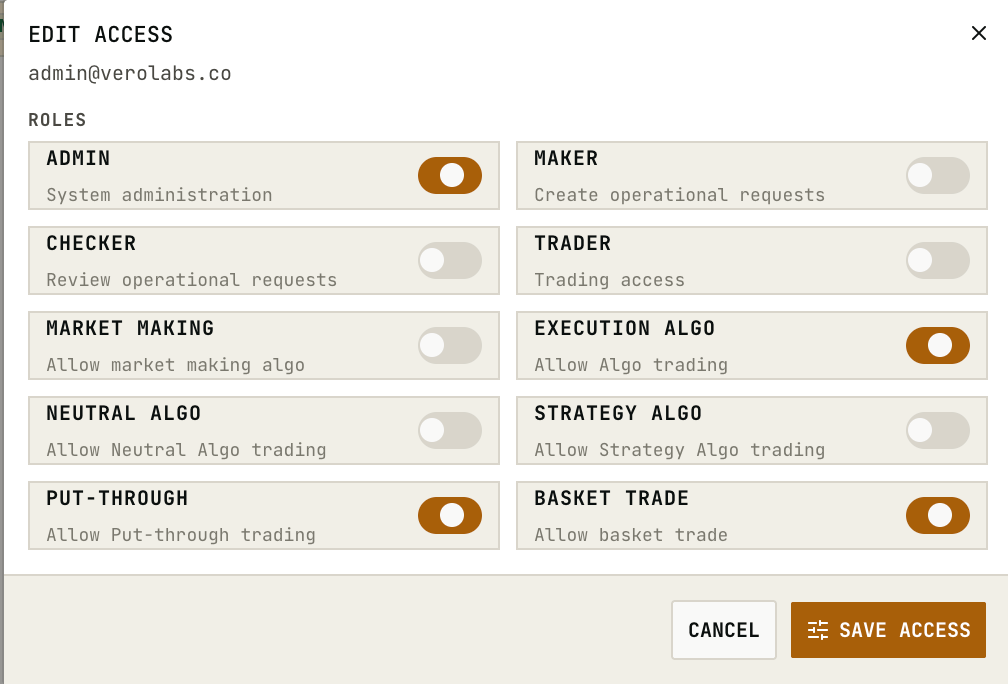
Edit Access Dialog
Edit access có thể mở từ action button trong bảng hoặc từ selected-user panel. Các switch role và feature chỉ đổi local dialog state trước; SAVE ACCESS submit danh sách roles và allowed features đang chọn.
Create User Dialog
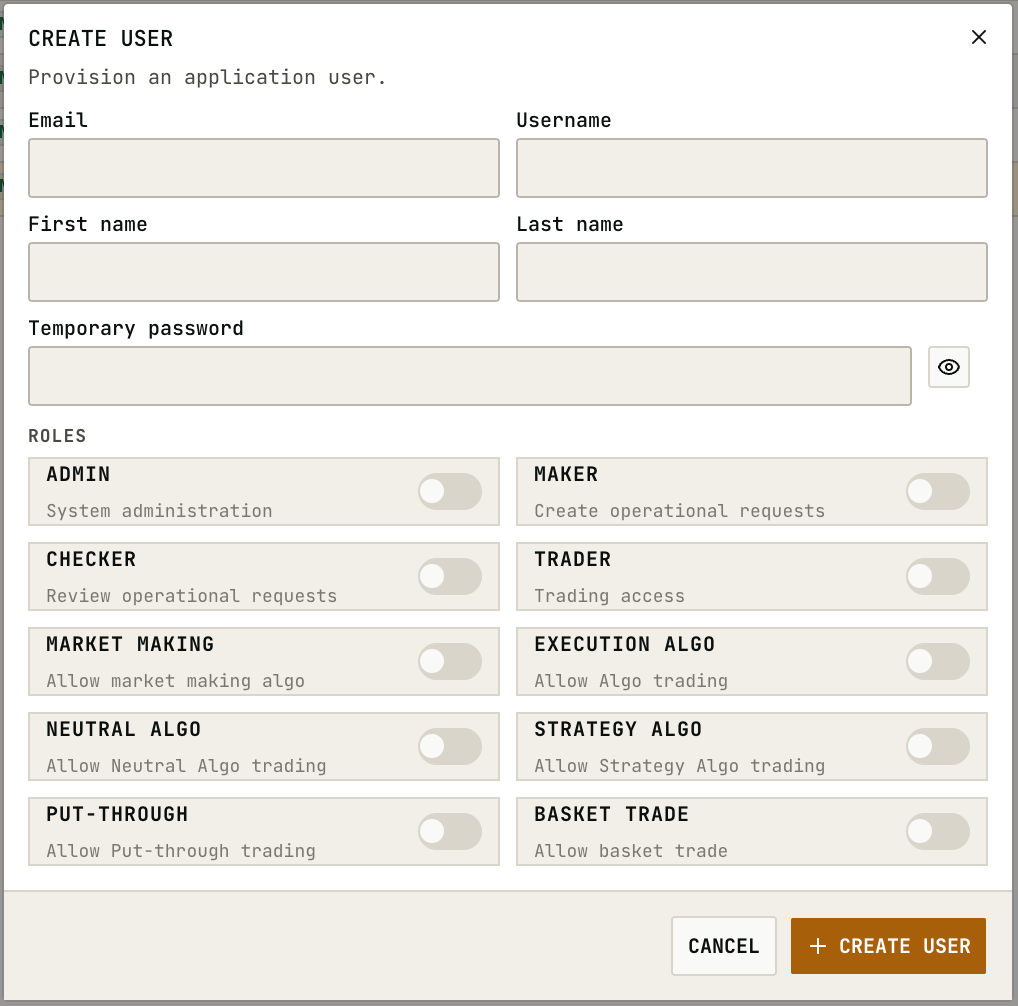
NEW USER mở create-user dialog. Form gồm email, username tuỳ chọn, first name, last name, temporary password, role switches và feature switches. Nút hiện/ẩn password chỉ đổi trạng thái hiển thị của field. CREATE USER yêu cầu email và temporary password tối thiểu 8 ký tự.
Audit
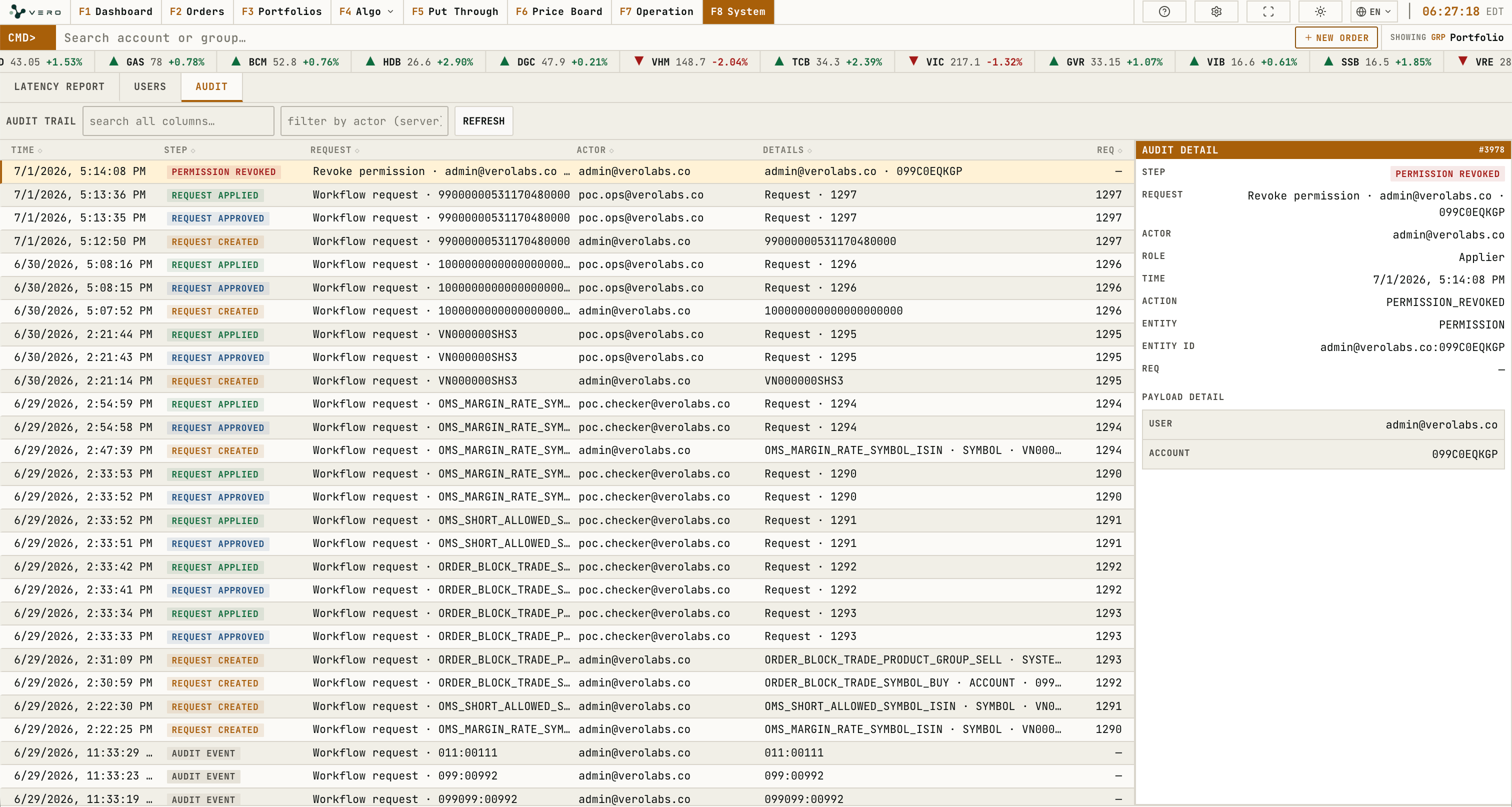
Audit hiển thị activity history, filter/search, refresh và panel chi tiết record đang chọn.
Detail panel hiển thị step, request title, actor, role, action, affected object, request id, changed values và related activity khi có dữ liệu.