> ## Documentation Index
> Fetch the complete documentation index at: https://docs.vos.verolabs.co/llms.txt
> Use this file to discover all available pages before exploring further.
# Dashboard
> Ảnh và tài liệu component của Dashboard workspace
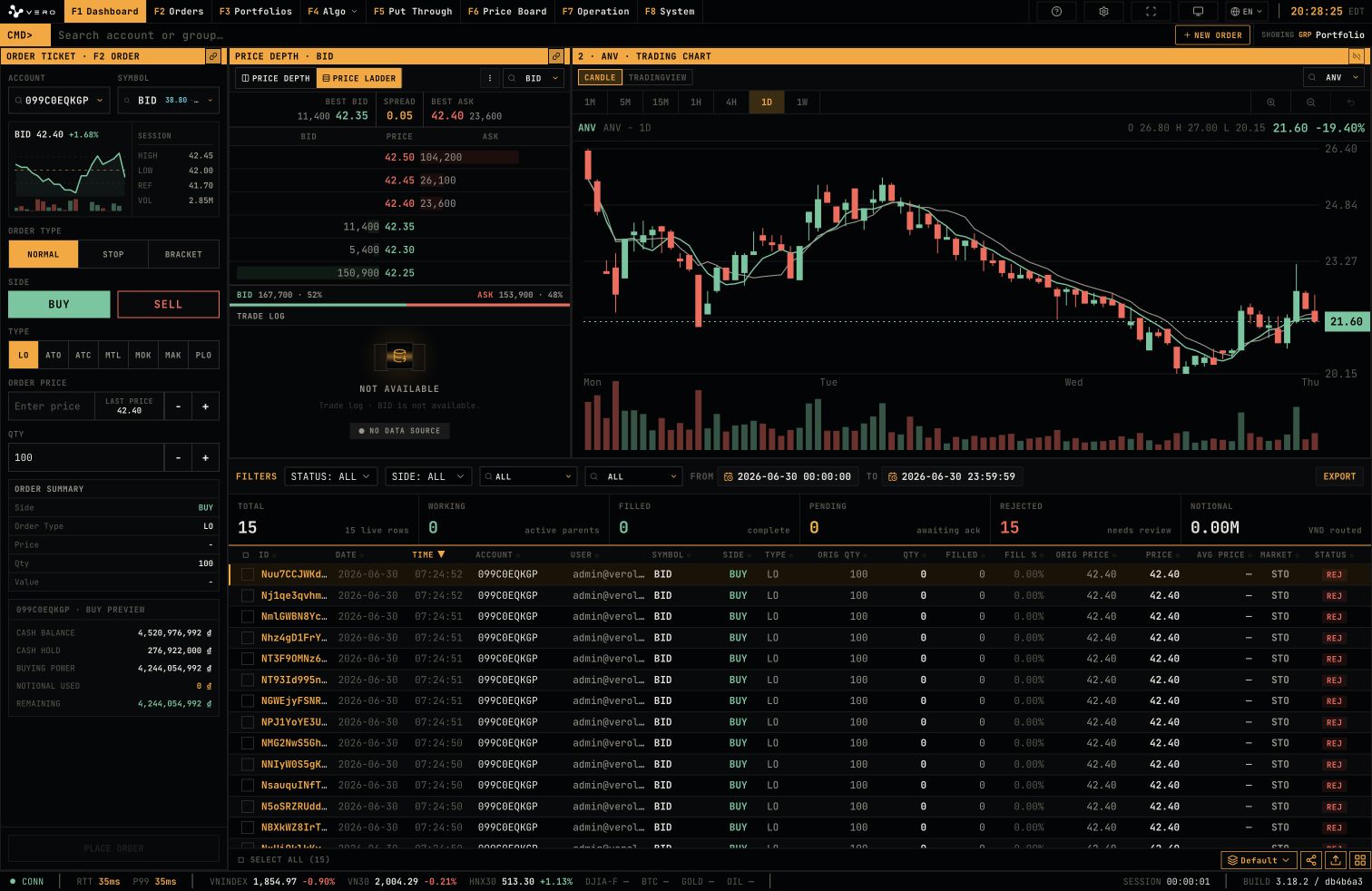
Dashboard là workspace giao dịch chính. Màn hình này hợp nhất order entry, market depth, chart và order blotter.
## Toàn màn hình
 ## New Order drawer
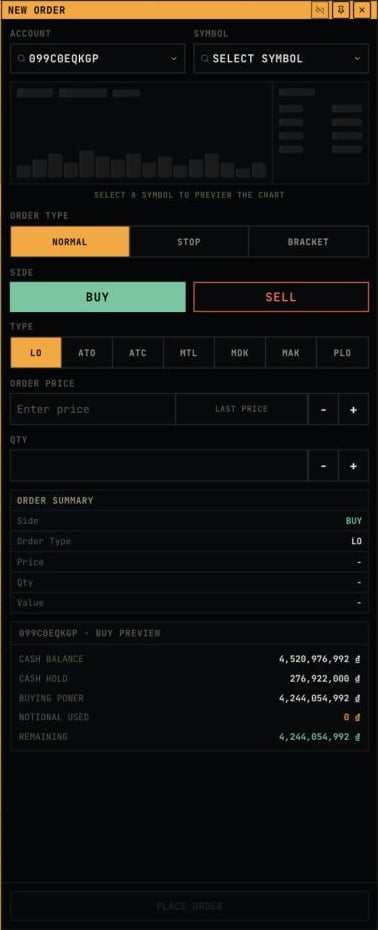
`NEW ORDER` mở drawer bên phải chứa account, symbol, chart preview, order type, side, price, quantity, order summary và buying power preview.
## New Order drawer
`NEW ORDER` mở drawer bên phải chứa account, symbol, chart preview, order type, side, price, quantity, order summary và buying power preview.
 ## Order Ticket
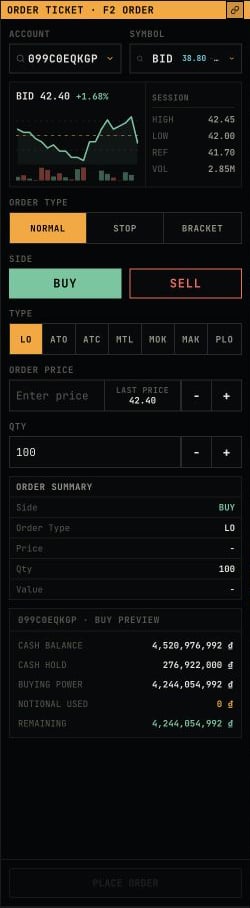
Ticket nhập lệnh chứa các field account, symbol, order type, side, price, quantity, order summary và buying power preview.
## Order Ticket
Ticket nhập lệnh chứa các field account, symbol, order type, side, price, quantity, order summary và buying power preview.
 ## STOP order mode
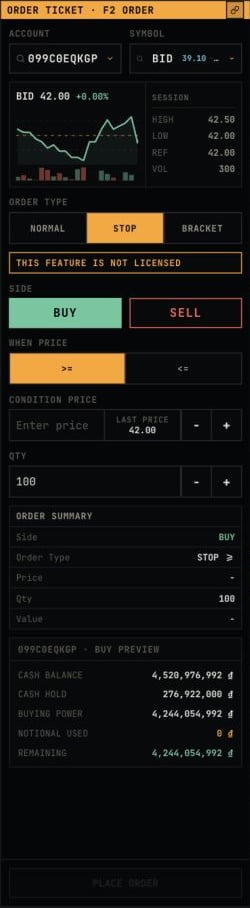
Khi chọn `STOP`, ticket hiển thị các field điều kiện như `WHEN PRICE` và `CONDITION PRICE`. Cảnh báo license được hiển thị khi feature chưa được cấp quyền.
## STOP order mode
Khi chọn `STOP`, ticket hiển thị các field điều kiện như `WHEN PRICE` và `CONDITION PRICE`. Cảnh báo license được hiển thị khi feature chưa được cấp quyền.
 ## BRACKET order mode
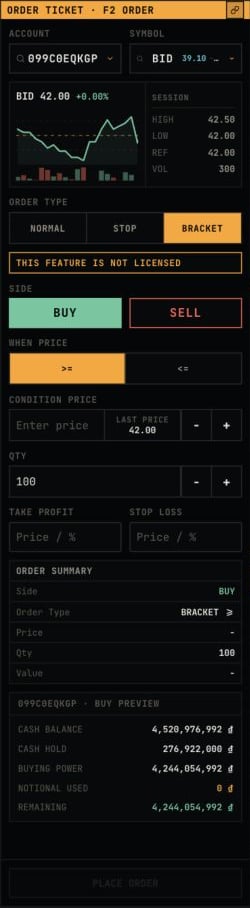
Khi chọn `BRACKET`, ticket hiển thị `TAKE PROFIT` và `STOP LOSS`, đồng thời giữ summary và buying power context.
## BRACKET order mode
Khi chọn `BRACKET`, ticket hiển thị `TAKE PROFIT` và `STOP LOSS`, đồng thời giữ summary và buying power context.
 ## Price Depth
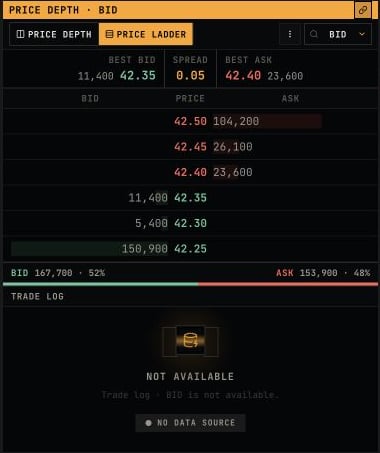
Price Depth hiển thị best bid/ask, spread, các mức bid/ask và trade log của symbol đang chọn.
## Price Depth
Price Depth hiển thị best bid/ask, spread, các mức bid/ask và trade log của symbol đang chọn.
 ## Price Ladder mode
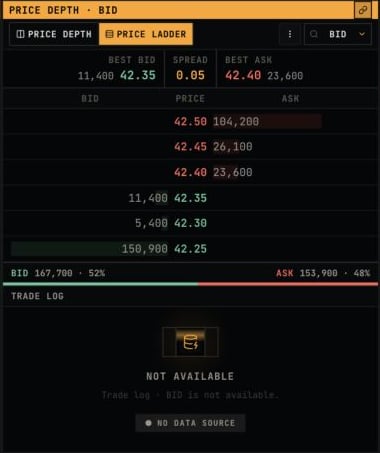
Header Price Depth có toggle `PRICE DEPTH` và `PRICE LADDER`, symbol selector và options menu.
## Price Ladder mode
Header Price Depth có toggle `PRICE DEPTH` và `PRICE LADDER`, symbol selector và options menu.
 ## Trading Chart
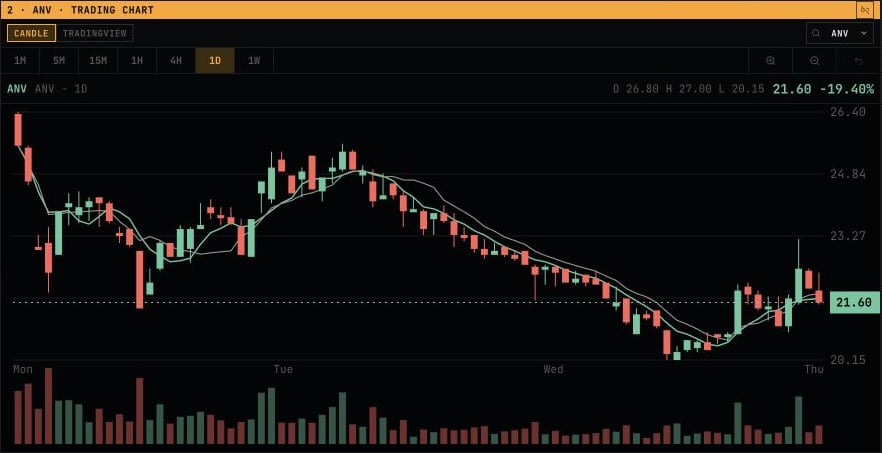
Chart hiển thị nến, timeframe, vùng giá và volume của symbol đang chọn.
## Trading Chart
Chart hiển thị nến, timeframe, vùng giá và volume của symbol đang chọn.
 ## TradingView mode
Chart hỗ trợ hai chế độ `CANDLE` và `TRADINGVIEW`. TradingView mode dành vùng chart cho embedded widget.
## TradingView mode
Chart hỗ trợ hai chế độ `CANDLE` và `TRADINGVIEW`. TradingView mode dành vùng chart cho embedded widget.
 ## Order Blotter
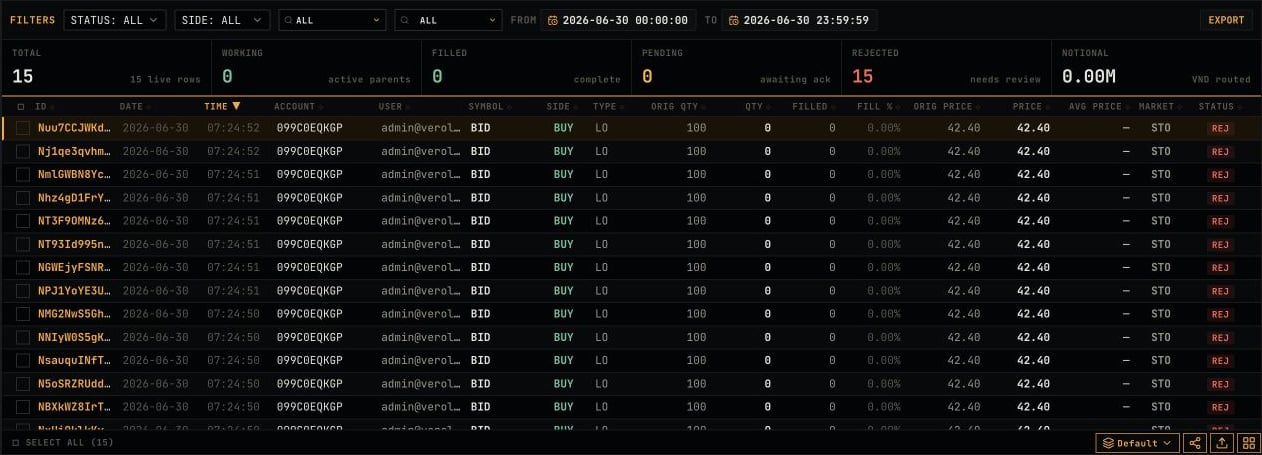
Order blotter dưới Dashboard cho phép lọc theo status, side, account, ngày giờ và hiển thị trạng thái lệnh live.
## Order Blotter
Order blotter dưới Dashboard cho phép lọc theo status, side, account, ngày giờ và hiển thị trạng thái lệnh live.