> ## Documentation Index
> Fetch the complete documentation index at: https://docs.vos.verolabs.co/llms.txt
> Use this file to discover all available pages before exploring further.
# Price Board
> Price Board page visual reference and component documentation
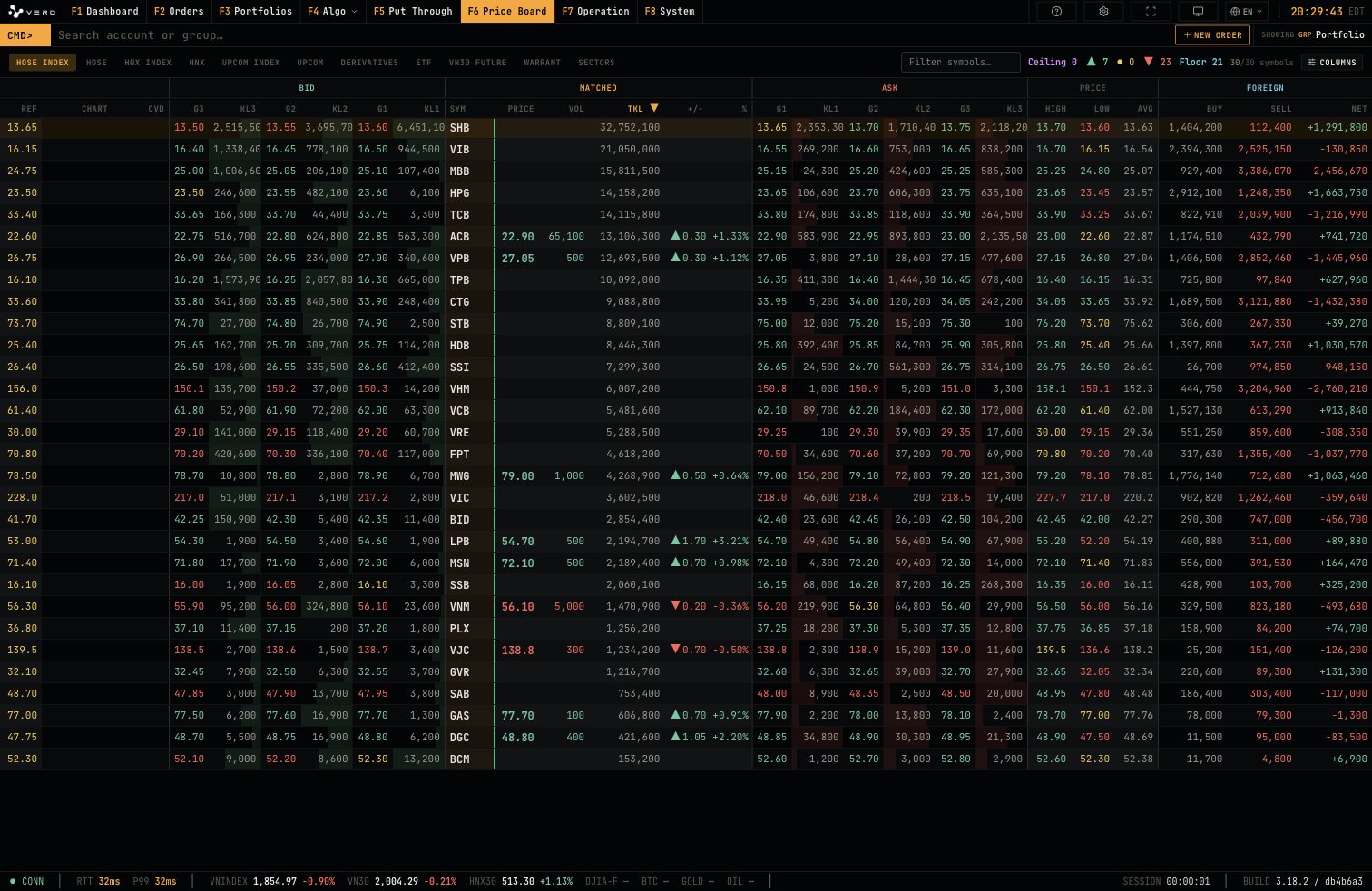
Price Board supports symbol monitoring across market groups, bid/ask depth comparison, and visible-column configuration.
## Full page
 ## Controls
The control bar contains market tabs, symbol filter, ceiling/up/down/floor statistics, and column selection.
## Controls
The control bar contains market tabs, symbol filter, ceiling/up/down/floor statistics, and column selection.
 ## Columns menu
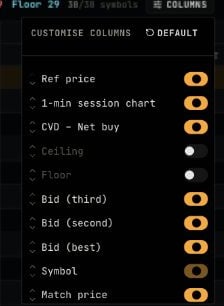
The `Columns` menu controls column groups such as reference price, 1-minute session chart, CVD, ceiling/floor, bid levels, symbol, and matched price.
## Columns menu
The `Columns` menu controls column groups such as reference price, 1-minute session chart, CVD, ceiling/floor, bid levels, symbol, and matched price.
 ## Price Table
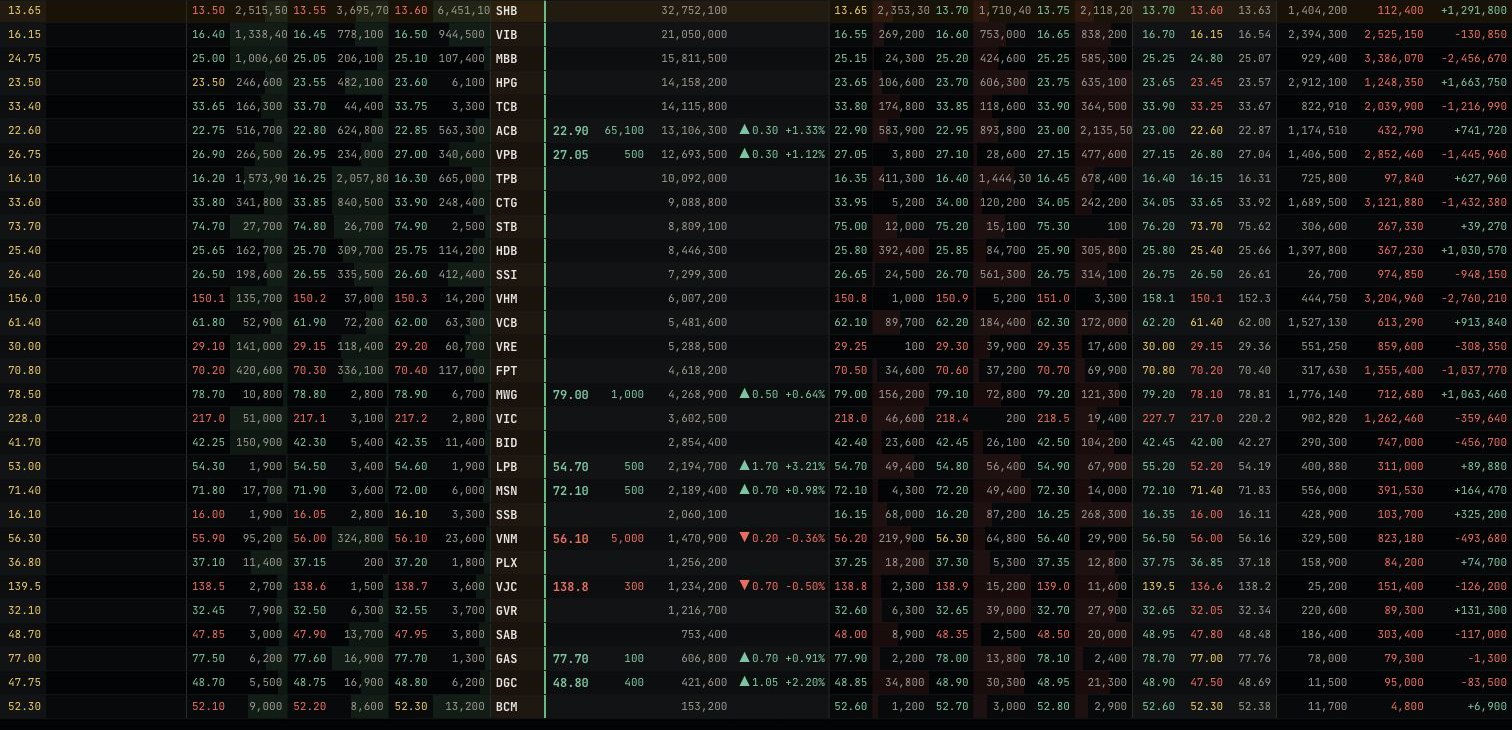
The price table displays bid, matched, ask, price, and foreign data for symbols in the selected group.
## Price Table
The price table displays bid, matched, ask, price, and foreign data for symbols in the selected group.