> ## Documentation Index
> Fetch the complete documentation index at: https://docs.vos.verolabs.co/llms.txt
> Use this file to discover all available pages before exploring further.
# Dashboard
> Dashboard workspace visual reference and component documentation
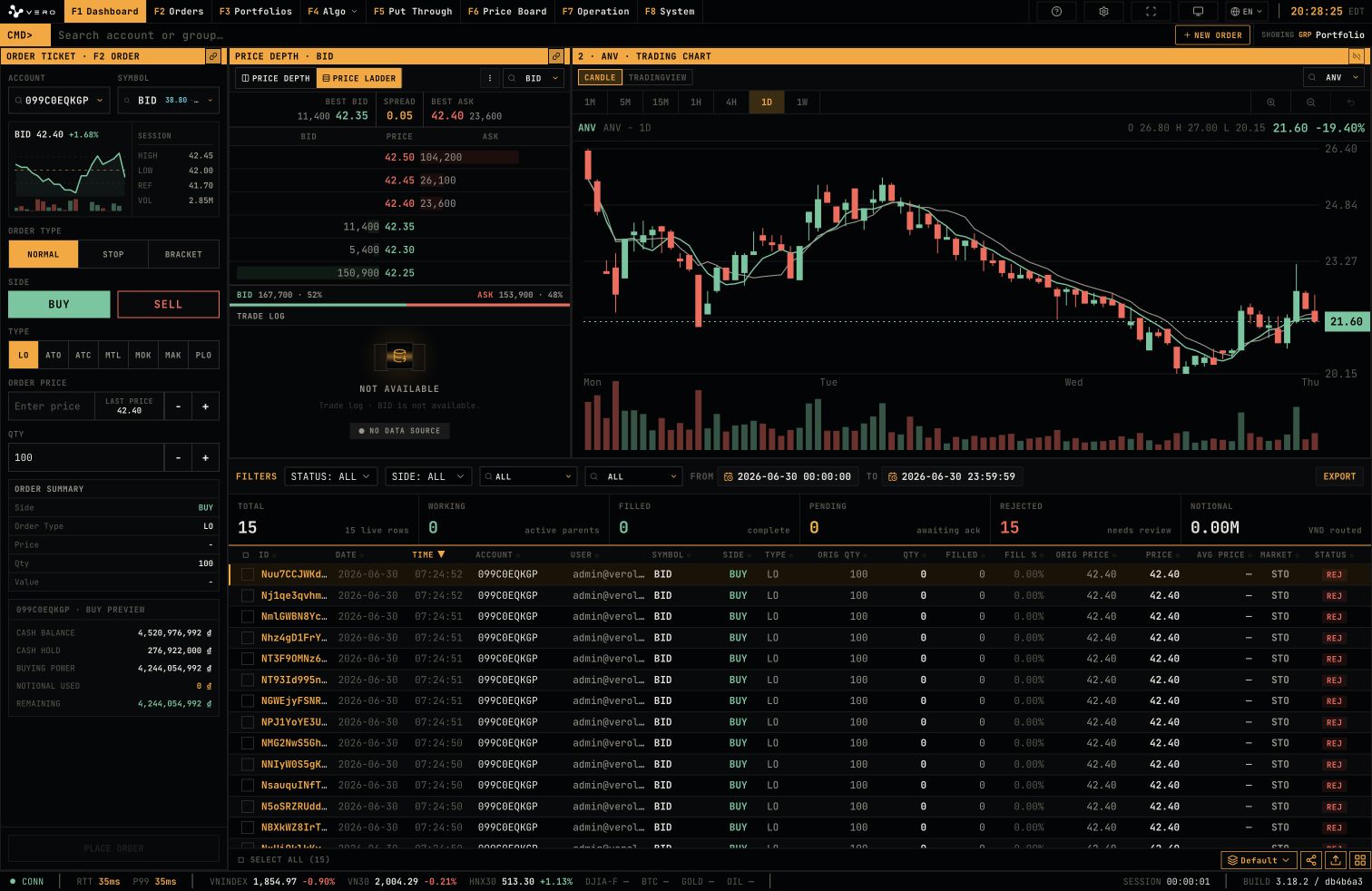
Dashboard is the primary trading workspace. It consolidates order entry, market depth, chart context, and the order blotter.
## Full page
 ## New Order drawer
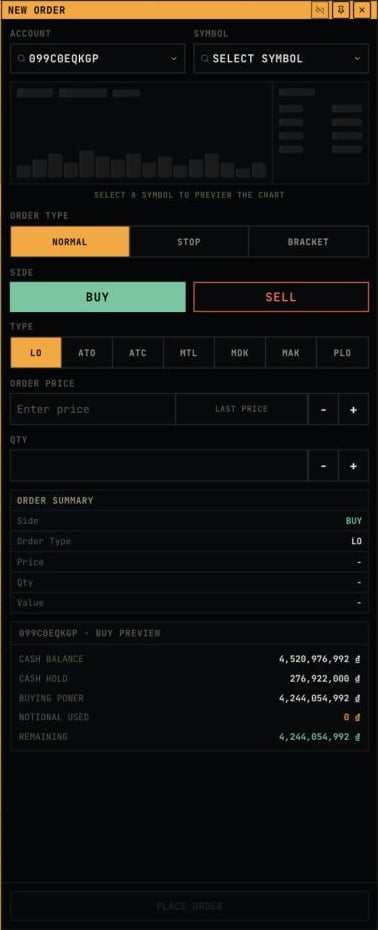
`NEW ORDER` opens a right-side drawer containing account, symbol, chart preview, order type, side, price, quantity, order summary, and buying power preview.
## New Order drawer
`NEW ORDER` opens a right-side drawer containing account, symbol, chart preview, order type, side, price, quantity, order summary, and buying power preview.
 ## Order Ticket
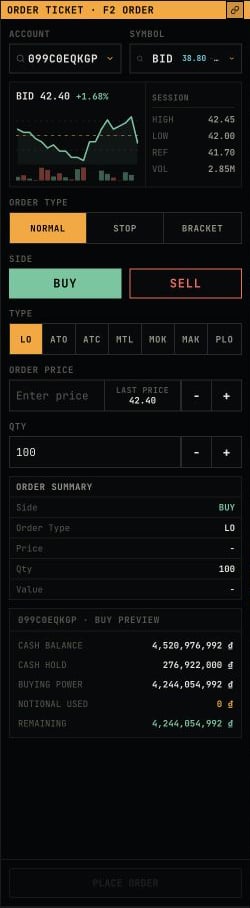
The ticket contains account, symbol, order type, side, price, quantity, order summary, and buying power preview fields.
## Order Ticket
The ticket contains account, symbol, order type, side, price, quantity, order summary, and buying power preview fields.
 ## STOP order mode
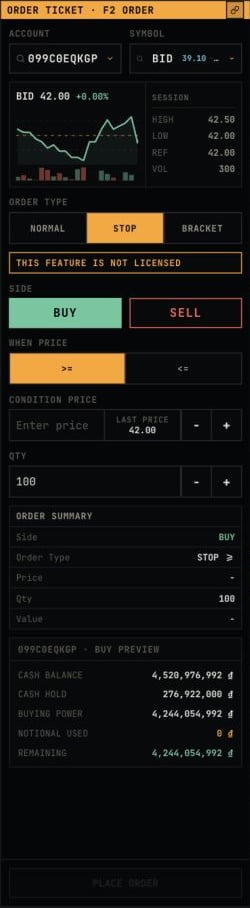
When `STOP` is selected, the ticket displays trigger fields such as `WHEN PRICE` and `CONDITION PRICE`. A license warning is displayed when the feature is unavailable.
## STOP order mode
When `STOP` is selected, the ticket displays trigger fields such as `WHEN PRICE` and `CONDITION PRICE`. A license warning is displayed when the feature is unavailable.
 ## BRACKET order mode
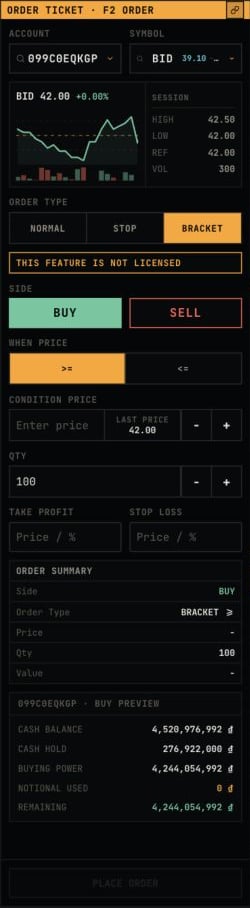
When `BRACKET` is selected, the ticket displays `TAKE PROFIT` and `STOP LOSS` fields while retaining summary and buying power context.
## BRACKET order mode
When `BRACKET` is selected, the ticket displays `TAKE PROFIT` and `STOP LOSS` fields while retaining summary and buying power context.
 ## Price Depth
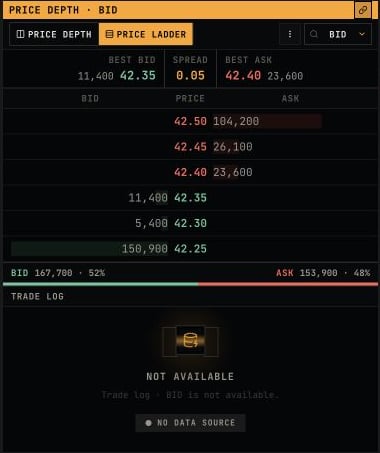
Price Depth displays best bid/ask, spread, bid/ask levels, and trade log for the selected symbol.
## Price Depth
Price Depth displays best bid/ask, spread, bid/ask levels, and trade log for the selected symbol.
 ## Price Ladder mode
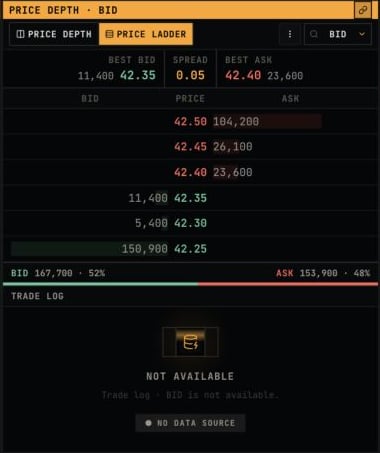
The Price Depth header includes `PRICE DEPTH` and `PRICE LADDER` display modes, symbol selector, and options menu.
## Price Ladder mode
The Price Depth header includes `PRICE DEPTH` and `PRICE LADDER` display modes, symbol selector, and options menu.
 ## Trading Chart
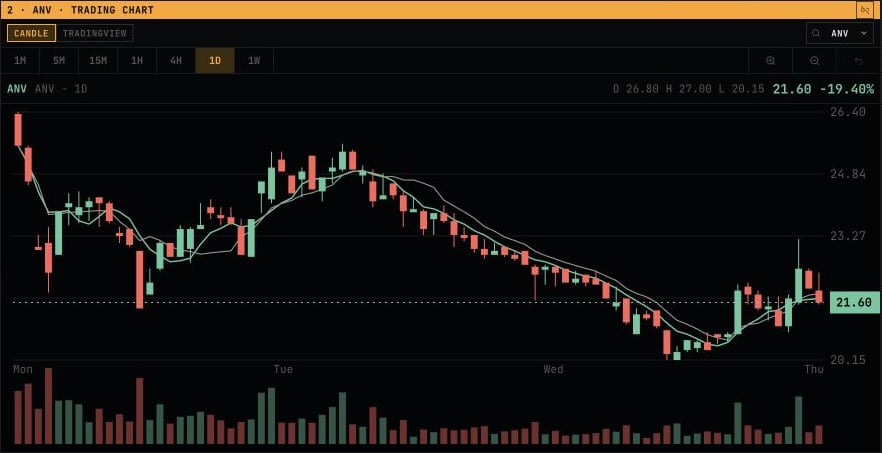
The chart component displays candles, timeframe controls, price region, and volume for the selected symbol.
## Trading Chart
The chart component displays candles, timeframe controls, price region, and volume for the selected symbol.
 ## TradingView mode
The chart supports `CANDLE` and `TRADINGVIEW` display modes. TradingView mode reserves the chart area for the embedded chart widget.
## TradingView mode
The chart supports `CANDLE` and `TRADINGVIEW` display modes. TradingView mode reserves the chart area for the embedded chart widget.
 ## Order Blotter
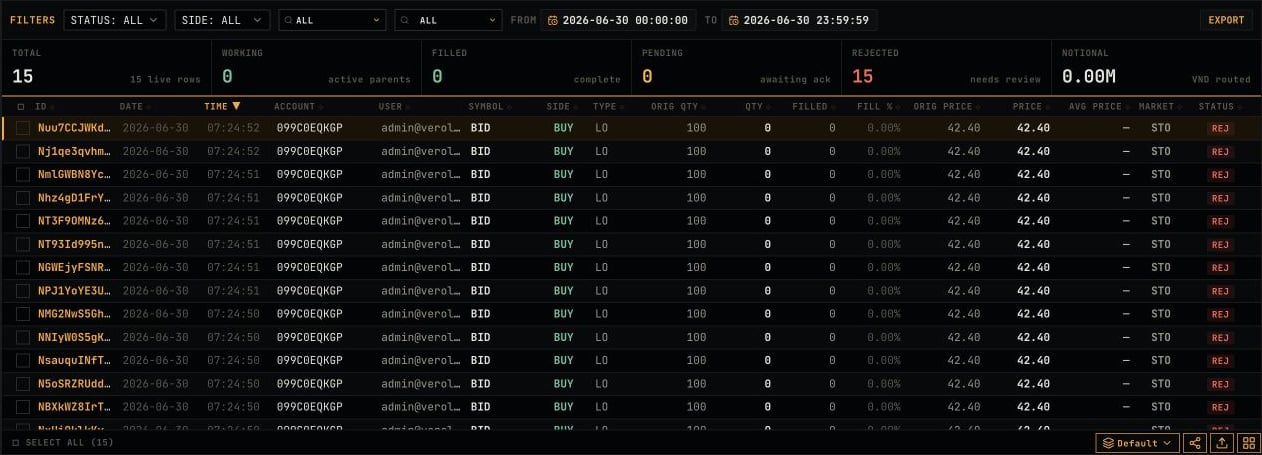
The Dashboard blotter filters by status, side, account, and date/time, then displays live order states.
## Order Blotter
The Dashboard blotter filters by status, side, account, and date/time, then displays live order states.